Delegation sheet format in Excel
The record of every task you give: planned date, first revised date, actual date done and days late. The second sheet counts a weekly score for each person.
What the file looks like
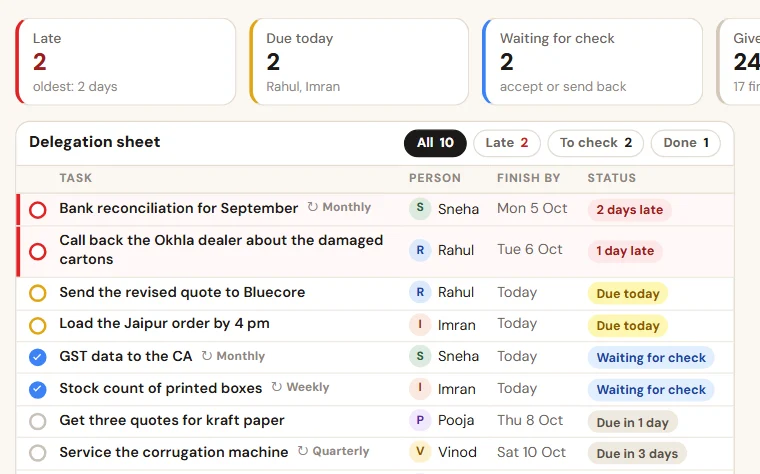
The heading row and the five example rows, as they open in Excel. Under them the file has empty rows that are ready: the lists, the formulas and the colours are already set.
| Task no. | Task | Given by | Given to | Given on | Planned date | First revised date | Actual date done | Days late | Checked by | Result | Remark |
|---|---|---|---|---|---|---|---|---|---|---|---|
| T-101 | Get the weighbridge calibrated and file the certificate | Mr Bhalla | Deepak | 1 Oct 2026 | 5 Oct 2026 | 8 Oct 2026 | fills itself | fills itself | The agency did not come on the revised date either. | ||
| T-102 | Send the new rate list to all dealers | Mr Bhalla | Farida | 4 Oct 2026 | 6 Oct 2026 | 6 Oct 2026 | fills itself | Mr Bhalla | fills itself | ||
| T-103 | Match the ledger of Shivam Polymers and send the difference | Anita | Gaurav | 3 Oct 2026 | 6 Oct 2026 | 8 Oct 2026 | 8 Oct 2026 | fills itself | Anita | fills itself | The statement from the party came late. |
| T-104 | Get the leaking valve on the compressor line repaired | Mr Bhalla | Deepak | 7 Oct 2026 | 9 Oct 2026 | 9 Oct 2026 | fills itself | fills itself | |||
| T-105 | Make the stock count sheet for Saturday | Anita | Farida | 9 Oct 2026 | 12 Oct 2026 | fills itself | fills itself |
- Red row: The planned date has passed and the work is not done. A revised date does not remove the red.
- Amber row: Done, and waiting for a check by the person who gave the task.
- Green row: Done and checked.
| Person | Week from | Week to | Tasks due | Done on time | Done late | Not done | Score out of 100 | Remark |
|---|---|---|---|---|---|---|---|---|
| Deepak | 3 Oct 2026 | 9 Oct 2026 | fills itself | fills itself | fills itself | fills itself | fills itself | Weighbridge: Deepak will call a second agency on Monday. |
| Farida | 3 Oct 2026 | 9 Oct 2026 | fills itself | fills itself | fills itself | fills itself | fills itself | |
| Gaurav | 3 Oct 2026 | 9 Oct 2026 | fills itself | fills itself | fills itself | fills itself | fills itself | Late because the statement from the party came late. |
| Farida | 10 Oct 2026 | 16 Oct 2026 | fills itself | fills itself | fills itself | fills itself | fills itself | This week is still running. Read the score when it ends. |
| Deepak | 10 Oct 2026 | 16 Oct 2026 | fills itself | fills itself | fills itself | fills itself | fills itself | No task planned yet for this week. |
- Red row: The week is over and work planned for it is still not done.
- Green row: Everything planned for the week was done on time.
The columns, and what to write in each
- Task no.
Your own running number: T-101, T-102.
- Task
One line that starts with a verb and has a clear finish.
- Given by
The person who gave the task.
- Given to
One name, never two.
- Given on
The date the task was given.
- Planned date
The date agreed when the task was given. Never typed over: every delay is measured from this.
- First revised date
A new date, written once, if more time was asked for before the planned date.
- Actual date done
The date the work was finished. Clear it if the check sends the work back.
- Days late
Fills itself: days past the planned date, counted until the work is done. A revised date does not reduce it.
- Checked by
The person who saw the finished work. For a task that was called off, write "Dropped" here.
- Result
Fills itself: On time, Late, Open, Overdue, Dropped, or "No date" when the planned date is missing. The weekly score is counted from this.
- Remark
Why the date moved, or what is stuck.
Second sheet, "Weekly score": Person, Week from, Week to, Tasks due, Done on time, Done late, Not done, Score out of 100, Remark.
How to keep it
- Enter the task before you say it or send it: one person in "Given to" and one date in "Planned date". Tell the person the task number.
- Never type over "Planned date". If more time is asked for before that date, write the new date once in "First revised date".
- The person writes "Actual date done" on the day the work is finished. The person who gave the task looks at the work and writes a name in "Checked by".
- Morning: read the red rows first. Evening: read the amber rows, which are waiting for your check.
- Saturday: add one row per person on the sheet "Weekly score" with the dates of the week, and read it with that person.
Also in the file: wording
T-101: Get the weighbridge calibrated and file the certificate. Planned date: Friday. Please reply OK, or tell me today if the date does not work.
T-101: noted. The revised date is Monday and it is written in the sheet. The planned date stays on record.
T-104: I looked at the valve and it still leaks at the joint. I have opened the task again. Tell me what you need to finish it.
Which tasks were late this week, and what was in the way?
Which date of next week do you already doubt?
What do you need from me to keep the dates?
Free to use and to change. No macros, nothing to install.
Delegation sheet format in Excel, with a weekly score
A delegation sheet format in Excel for the tasks you give your staff: twelve columns, a days-late formula, three rules and a weekly score for each person.
People also look for this as: delegation sheet format in Excel · task delegation sheet · delegation sheet for staff · weekly score sheet for staff