TaskEasy: Give work in ten seconds. Know what is late today.
Every task gets one person, one date and one status. Your team ticks work off on the phone, repeating jobs come from checklists, and you read one report in the evening instead of sending reminders on WhatsApp.
- Demo on your own data before you pay
- Live in two weeks
- Fixed price, from ₹25,000
- Works on any phone
Sample data: Mehra Packaging is an invented carton maker in Okhla, Delhi. No signup. Nothing is saved.
Press a number to see that part, or press the picture to open the working demo with sample data. Nothing is saved. Open it full screen · Set up for Manufacturers, Wholesalers & distributors, CA firms, Interior firms, Real estate brokers
How it runs today
- You give work on WhatsApp and calls, and by evening you cannot say what was done.
- The same task needs three reminders before it moves.
- "I forgot" and "nobody told me" are heard every week.
- Daily and monthly jobs are skipped quietly, and you find out when something goes wrong.
- The delegation sheet works only as long as one person chases it every day.
How work moves through it
- 1Give a task with a person, a date and a priority
- 2The person sees it on the phone in the list for today
- 3Done work comes back for a quick check, or goes back with a note
- 4Repeating jobs appear by themselves from the checklist
- 5The owner gets one report every evening
Every part, spelled out
Give a task
Title, person, date and priority. Attach a photo or a file when needed.
Today list
Each person opens one list in the morning: due today, late, and waiting for a check.
Check and send back
Work is marked done with a note or a photo. The manager accepts it or sends it back.
Checklists
Daily, weekly and monthly jobs that repeat. A missed one is counted, not forgotten.
Scorecard
On-time and late work by person and by department, ready for the weekly meeting.
Reminders
Reminders by email, and on WhatsApp if you use a WhatsApp Business tool.
Made for businesses like yours
Owners with 10 to 100 staff
Who give work on WhatsApp and calls, and lose track of it by evening.
Managers and supervisors
Who need to see who is doing what without asking each person.
Coordinators
Who chase a delegation sheet by hand every day and want the reminders to send themselves.
What you get, and when
- Your people, departments and reporting lines set up
- Your repeating jobs turned into daily, weekly and monthly checklists
- Open tasks loaded from your delegation sheet, if you keep one
- Today list, check and send back, scorecard and the evening report
- Training for staff, managers and the person who will coordinate
- One month of care after go-live, with fixes and small changes
Why tasks get forgotten
A task given in a chat has no owner, no date and no status. It scrolls away by evening. Nobody is lying when they say they forgot.
What TaskEasy changes
- Every task is in one place with a person and a date.
- Each person starts the day with a list, not a scroll through chats.
- Late work shows up by itself, so the owner does not have to ask.
- Work is "done" only after a quick check. That keeps the scorecard honest.
- Jobs that repeat come from checklists, so they do not depend on memory.
If you already keep a delegation sheet
Many owners learn the delegation sheet, the checklist and the weekly review meeting from a business coach. TaskEasy keeps those habits as they are. It only removes the manual part: the daily chasing, the reminders and the compiling of the report.
What it does not do
It is not a chat app and it does not replace talking to your team. It also does not follow up with your staff on our side: one person in your company coordinates, and the system makes that a job of minutes.
What we need from you
- The list of your people, with departments and who reports to whom
- The jobs that repeat every day, week and month
- One person who will coordinate, usually an EA or an office manager
- An hour for the demo and an hour for training
One fixed price to set up. A small fee to keep it running.
No per-user charge. You see a demo on your own data before you pay anything.
Starter system
One process, set up for you and live in two weeks.
- A working demo on your own data before you pay
- Scope and price on one page
- Your current data loaded and your staff trained
- First month of care included
Care plan
Keeps the system running. Starts from the second month.
- Backups and uptime watched
- Faults fixed
- Two small changes a month
- Reply by the next working day
System Partner plan
For when your daily work runs on the system.
- Up to 8 hours a month of new reports, automations and changes
- A weekly report to the owner
- A monthly review call
- Training for new staff
How the plans work
- Half the setup price to start, the rest before go-live.
- The monthly fee is paid at the start of the month.
- Hours are written down. Unused hours do not carry over.
- First term is three months, then 30 days notice either way.
- Extra work is quoted before it starts.
What is not included
- Daily follow-up with your staff. One person on your team does that, and we train them.
- New modules and new integrations. Each gets its own quote.
- Cleaning old data beyond the first import.
- WhatsApp tool charges. You pay the tool directly, about ₹500 to ₹2,800 a month plus message charges.
Add-ons
Each has its own quote.
- A first reply to every WhatsApp enquiry within a minute, then follow-up for seven days
- Payment reminders sent from your own sheet on the days you choose
- Bills read into your sheet or Tally, checked by a person before saving
Before you ask
Do staff need to install an app?+−
No. It opens in the browser on any phone and can be added to the home screen.
We already use a delegation sheet. Why change?+−
Keep what works. The difference is that reminders, the today list and the evening report happen by themselves, so nobody has to chase the sheet.
Who follows up with staff every day?+−
One person on your team. We train them, and the system does most of the reminding. We do not do daily follow-up for you.
Will staff really use it?+−
They use it when the owner looks at the evening report and the scorecard every week. We keep the staff screen to one list and one button, so there is little to learn.
How long does it take to start?+−
About two weeks for one process, including loading your current data and training your staff. You first see a demo on your own data, before you pay anything.
Is it charged per user?+−
No. The setup has one fixed price and the monthly plan is flat. Add as many staff as you have.
Where is our data kept?+−
Your quote explains the two options: on a server we run for you, or on your own server. Either way the data is yours and you can export it at any time.
The practical bits
Guides on this subject
Often set up next
Payment Follow-up
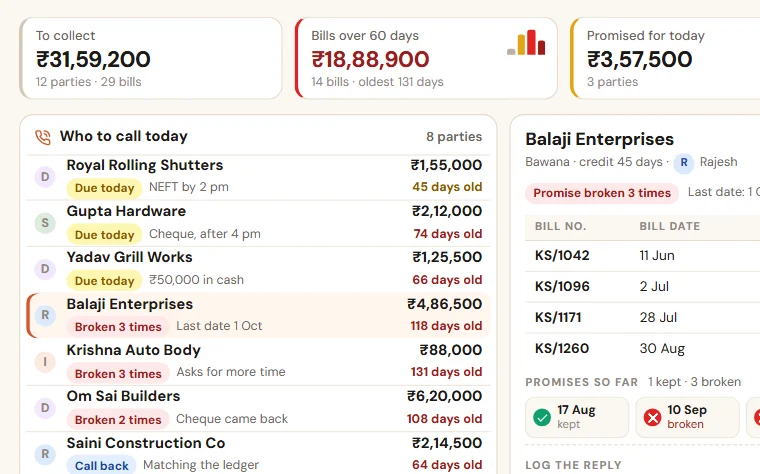
See who to call today, which promise was broken and how old every bill is. Reminders go on WhatsApp, and you see collection salesman by salesman.
Owner's Daily Report
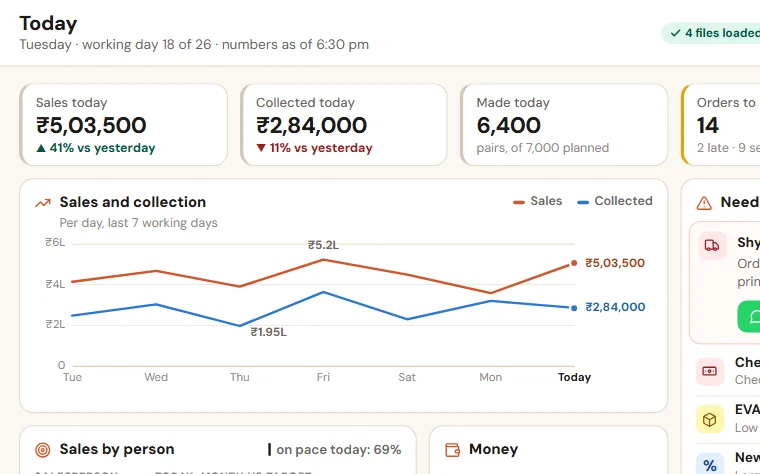
Sales, collection, pending orders, cash and bank, and the few things that need you today. Built from your Tally or Busy export and your own sheets.

Order & Payment Tracker
See which order is stuck, what goes out today and who owes you money, on one screen. Payment reminders go out on WhatsApp.
See TaskEasy on your own data
Share last month of your data. We come back with a working demo, then a fixed price on one page.