Make the book and the shelf agree on every item.
Every godown sits in one list, showing what is genuinely free once open orders are taken out. Each movement carries a reason and a name, damage above your limit leaves the book only after your yes, and counts are made without the book figure in sight.
- Free 14-day trial
- Every user included
- Works beside Tally
Stock seldom vanishes in one go. It leaks a little at a time.
A piece here, a carton there, a correction that no one signed. When the count finally arrives, no one can say when the gap opened.
- 01The register shows 400. The godown holds 180, and no one knows since when.
- 02Breakage is written off by the person who broke it, with no photo and no second pair of eyes.
- 03A transfer leaves one godown and reaches the next ten pieces short. The gap disappears somewhere in between.
- 04Sales promises stock that another order has already claimed.
- 05Material is bought once the shelf is bare, not when the level said to.
Five rules that stop the book and the shelf drifting apart.
Each rule is plain. Taken together they leave no quiet exit for stock: every movement has a reason, a name and, above your limit, your yes.
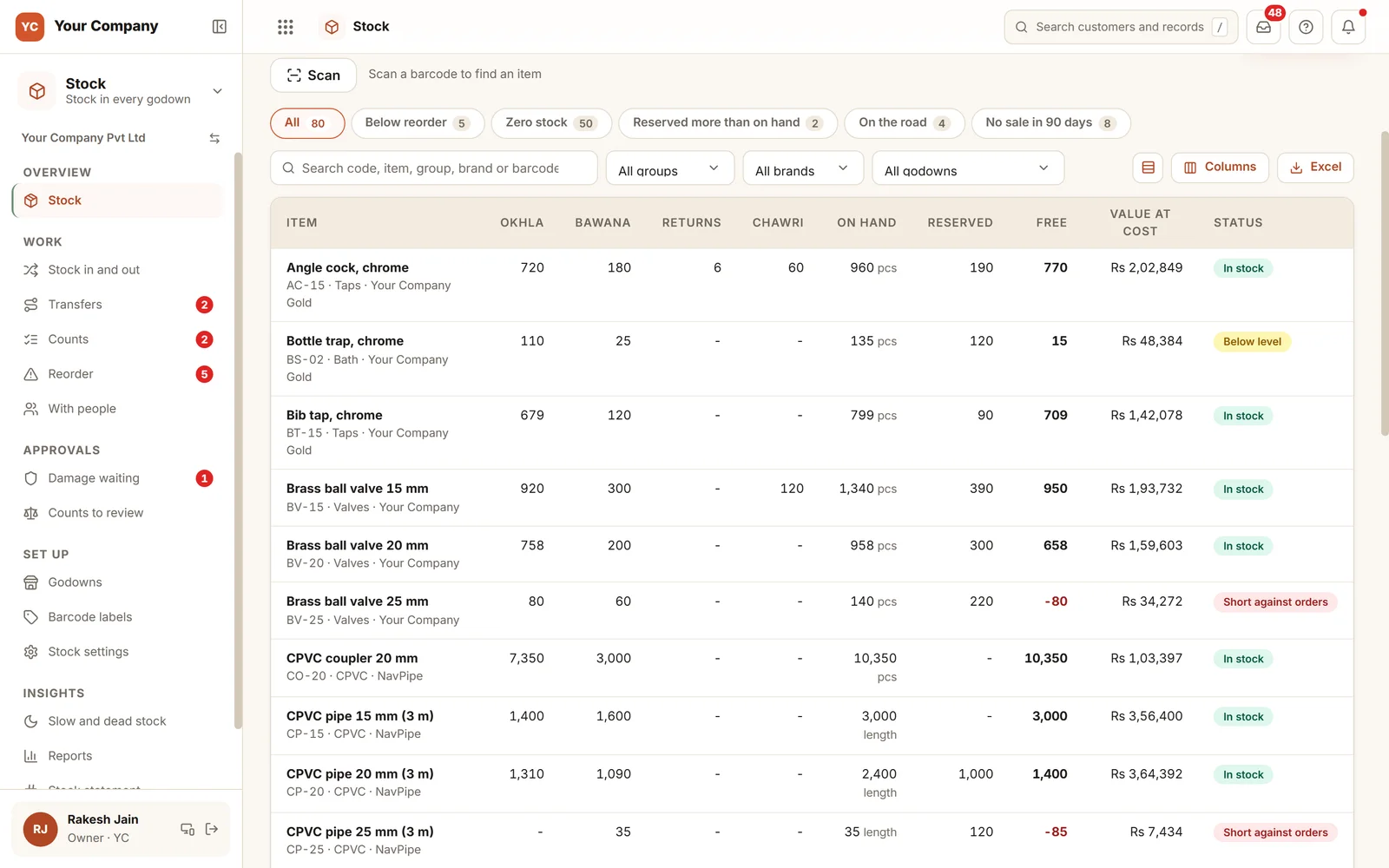
Rule 1 · Free
What you are free to sell
- Quantity held in each godown, item by item
- Less what open orders, project files and complaints are holding
- A shortfall against orders shows in red
- Rejected goods and stock on the road are never counted as free
Rule 2 · Move
A reason for every movement
- Stock in and out carry a reason and a name
- A wrong entry is cancelled by a reverse entry and never rewritten
- Damage over your limit needs a photo and your approval
- Until you say yes, nothing moves
Rule 3 · Transfer
Through the transit stage
- Stock leaves when it is loaded and arrives when it is received
- A short receipt stays in transit until it is found or written off
- If it spends too long on the road, the store and the owner are told
- Above your value, an e-way bill number is asked for, or a reason why it is not needed
Rule 4 · Count
Counted blind
- The person counting is not shown the book figure
- Each line keeps the book quantity at the moment it was counted
- Work carries on while a count is under way
- The adjustment is approved by the owner
Rule 5 · Reorder
Ahead of a stock-out
- Free stock plus incoming stock is checked against each level
- A level is suggested from the last 90 days of use
- Only a person can change a level
- Ticked lines turn into one purchase request
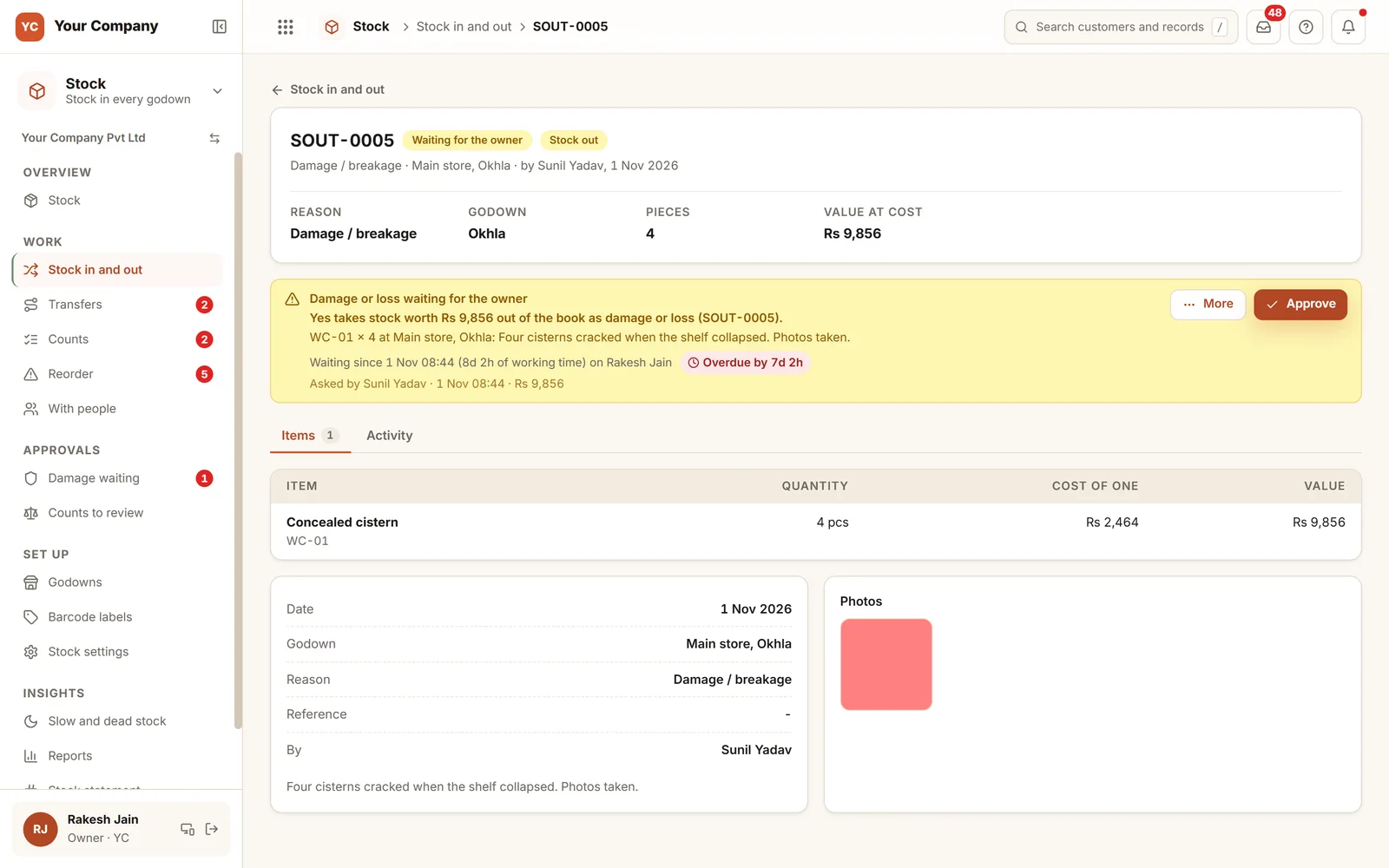
Damage above your limit leaves the book only after your yes.
A shelf gave way and four cisterns cracked. The store logs them with a photo. Since ₹9,856 at cost is over the damage limit, nothing moves until the owner approves. The card states what a yes will do, how long it has been waiting and who raised it.
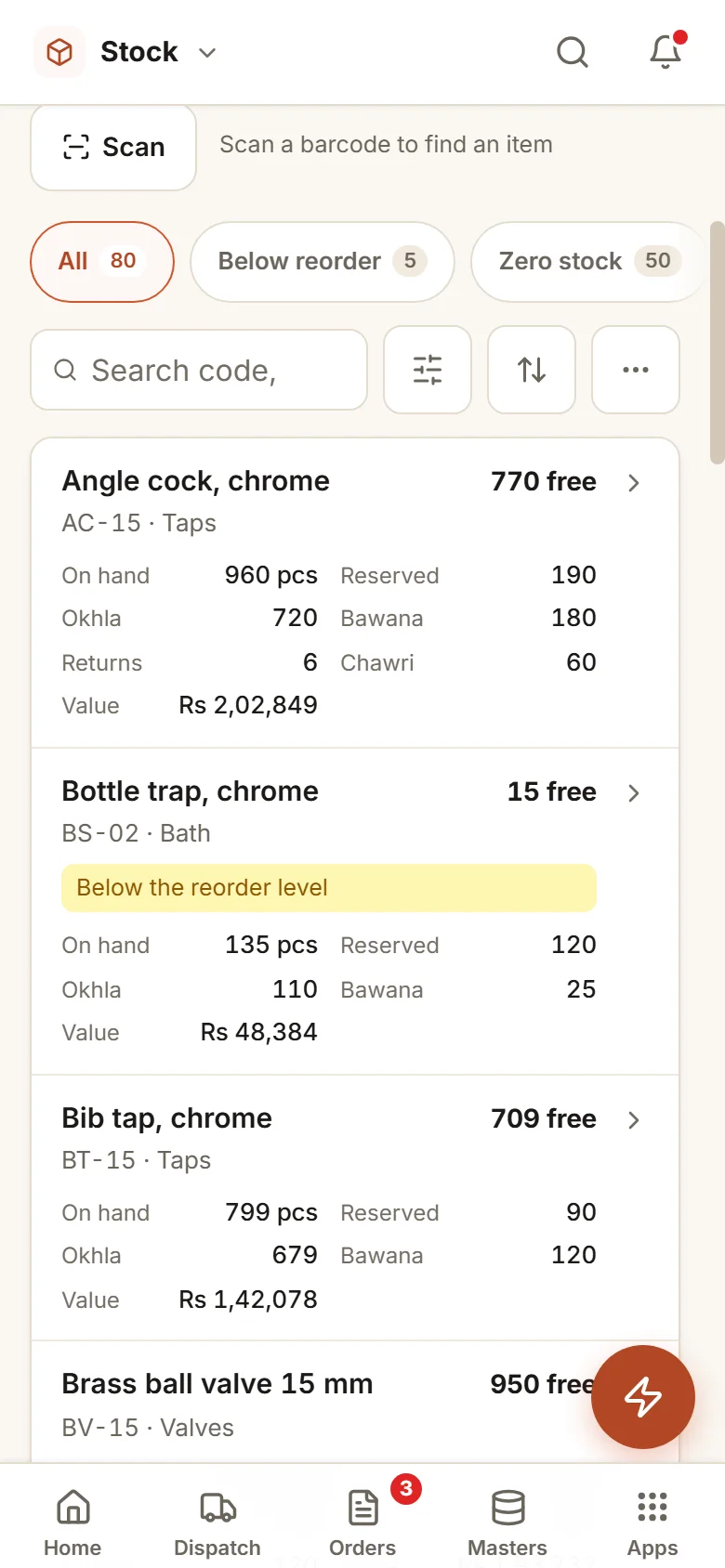
Six store screens, in daily use.
Real screens of the Business Suite, with sample data. Nothing here is a drawing.
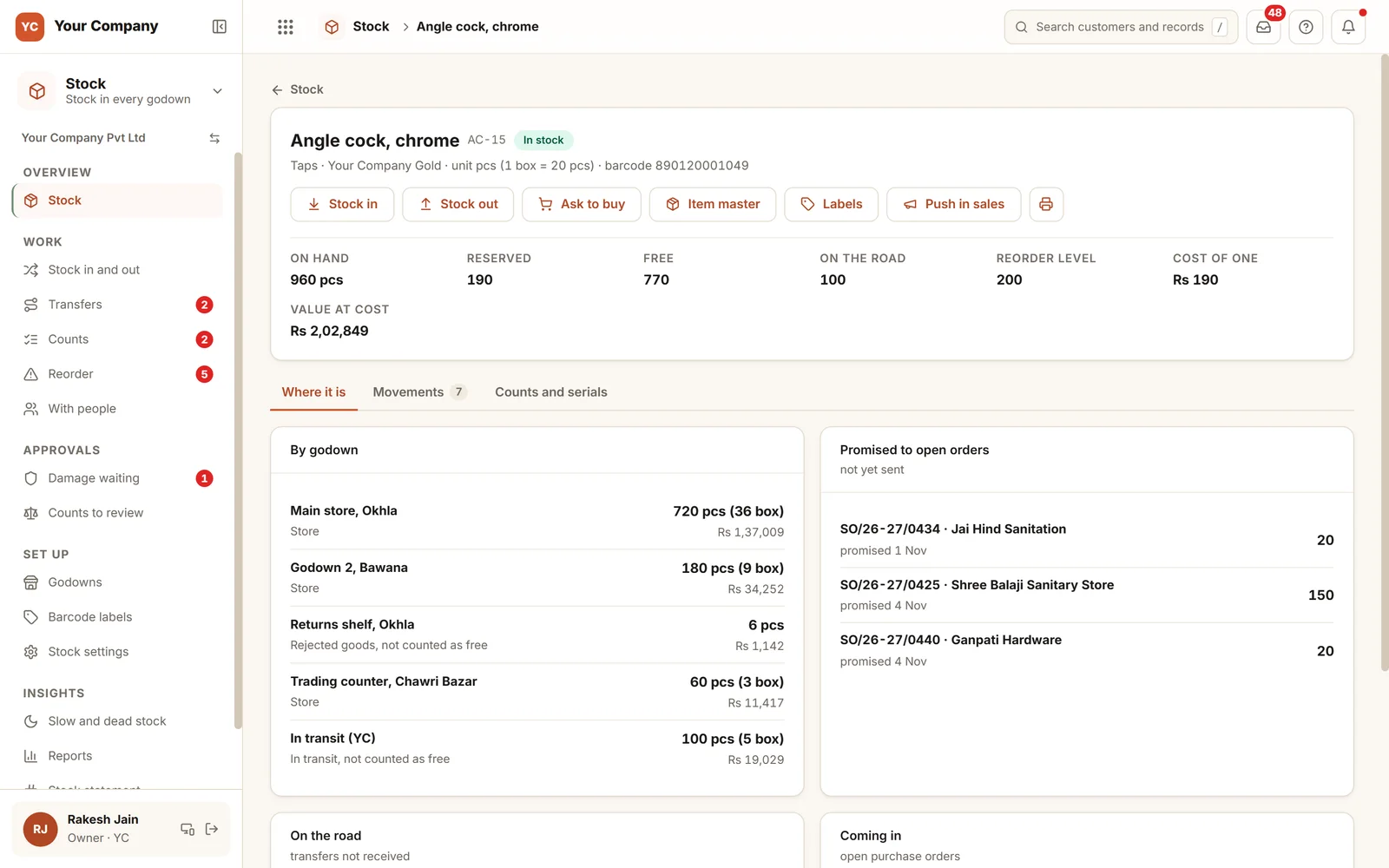
- 1The figures that countOn hand, reserved, free, on the road, reorder level and unit cost.
- 2Where it sitsSplit by godown, with rejected goods and in-transit stock marked as not free.
- 3Promised to ordersWhich open orders are holding it, and how many each.
The store works from a phone. The owner decides what is removed from the book.
- 9:00 am
Material goes out
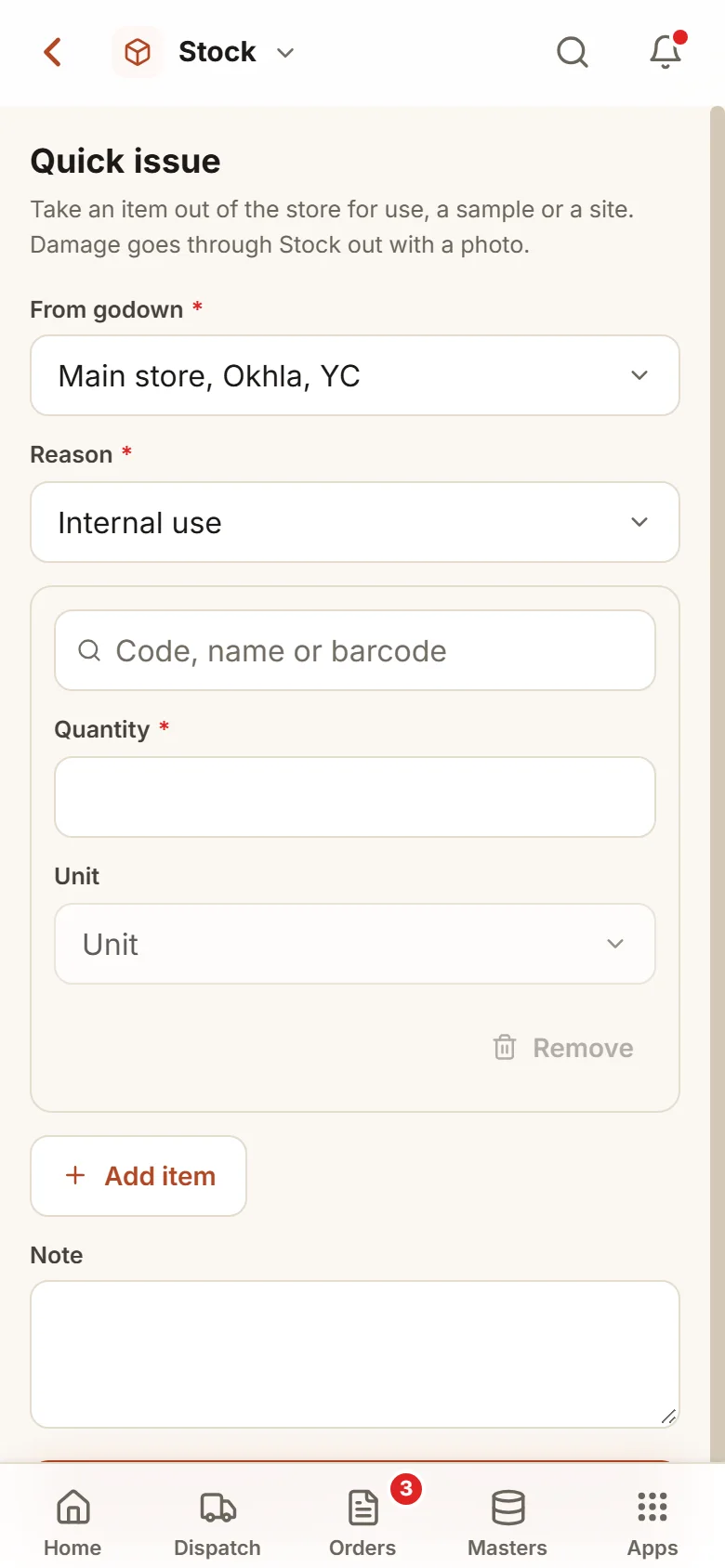
The store looks up the item on a phone, picks a reason and issues it. The book updates at once with the person’s name beside it.
- 1:00 pm
A transfer lands with pieces missing
The receiving godown takes in 590 of 600. The ten missing pieces stay in transit until someone finds them or writes them off.
- 5:30 pm
The count comes in
A counter tallies the taps with no sight of the book figure. Two lines come out different, and the adjustment is held for you.
You set the limits once. The store works within them.
A ceiling on damage
Damage and loss over the value you set are held for you, with a photo. Under it, they are posted with a reason and a name.
Stock in needs a yes
Stock that is found, returned or brought in with no purchase behind it is held for you when it is over your limit or its cost is unknown.
Costs for a few
Values at cost are shown only to you and the roles you pick. Everyone else sees quantities and no prices.
Stock held by a person
A van or a site supervisor keeps stock in a place of its own. It is never counted as free and never sold.
Month lock
A movement dated into a locked month is refused, so your accountant’s closing stock does not shift.
Stock position on a chosen date
What stood in each godown on any chosen date, at the cost of that day, as Excel or PDF for the bank.
Who it is for
- Distributors and traders holding stock in two or more godowns
- Manufacturers holding raw material, components and finished goods
- Firms where salespeople commit stock during phone calls
- Owners who want a count they can rely on instead of a yearly shock
What it does not do
- This does not plan production. Bills of material and job cards are outside it.
- The cost value is an internal management number. The legal stock value belongs to your accountant.
- It depends on every movement being recorded. We configure your reasons and coach the store team.
Try the register here in your browser.
A working demo on sample stock: receive goods, issue them, count a shelf and watch the reorder list change.
A working demo with sample data. Nothing is saved.
One way in for every app of the Suite.
What owners ask before they start.
Our stock sits in several places. Can it cope?
Yes. Each godown is listed under its type: a store that sells, rejected goods, a project site, stock on the road and stock held by a person. Only stores that sell feed free stock.
Can we use barcodes?
Yes. Find an item by scanning its barcode with the phone camera, and print barcode labels for items on a label printer or on an A4 sheet.
How is a count run?
A count is planned for a godown or a group of items and handed to a counter. Counting happens on a phone, and is blind unless you change it. Differences wait for review and post on the owner’s yes. A count that has been adjusted never changes again.
Do we have to stop work during a count?
No. Each line keeps the book quantity at the moment it was counted, so sales made during the count create no false difference. If you prefer, a godown can be frozen until its count is complete.
What is in the offer, and what does it cost?
Stock is one app of the Business Suite. You start with a free 14-day trial on your own business, then choose setup on your own data and monthly running and care, with no charge per user. The plans and prices are in the pricing section of this page and on the /services page.
Where is our data kept?
On our servers. Any list can be downloaded as Excel whenever you ask.
Count one shelf with it and compare the answer to your register.
Try it first. Decide after. Fourteen days free with sample data, set up for you the same working day.