Each load leaves with its bill and returns with a signature.
The store packs only from free stock, loads by route and raises the GST invoice at dispatch. The driver records who accepted the goods and photographs the signed copy. The files your accountant needs each month come from the same records, and only the owner can reopen a closed month.
- Free 14-day trial
- No per-user charge
- GSTR-1 and Tally files each month
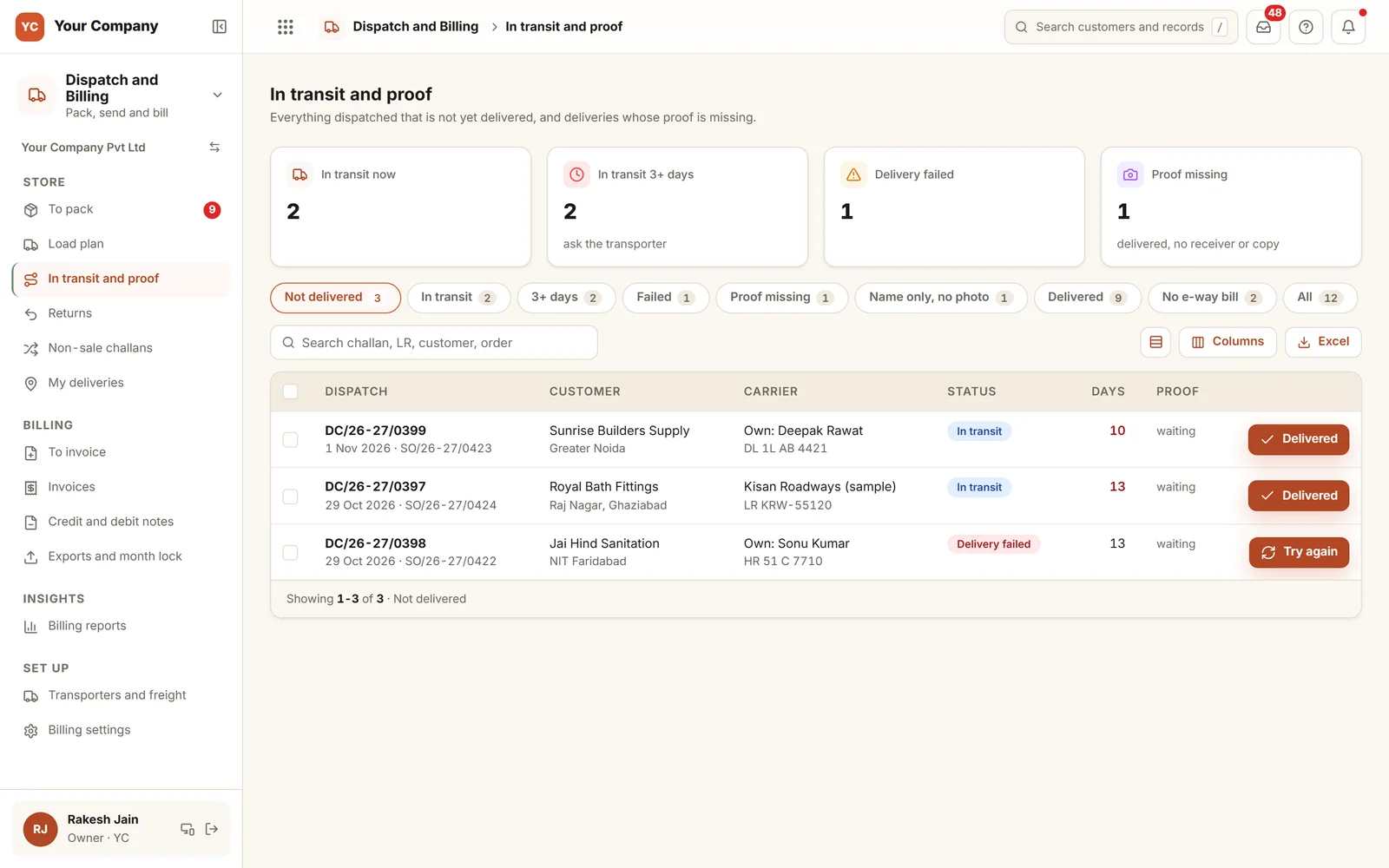
Goods leave the gate quicker than the paperwork catches up.
The truck is gone, the invoice is made tomorrow, and the proof of delivery is in a driver’s pocket.
- 01A load leaves on Friday and the invoice is made on Monday, if somebody remembers.
- 02The customer says six cartons arrived, not eight, and the driver cannot say who signed.
- 03A consignment above the e-way bill value leaves without one, and the truck is stopped.
- 04Last month’s sales are edited after the return was filed, and the books stop agreeing.
- 05A string of small credit notes adds up to a big discount that nobody approved.
From shelf to closed month in five steps.
The right person does each step, and each one leaves a record that the next step checks.
Step 1 · Pack
Just the free stock
- Orders ranked by priority and promised date
- One pick list covers many orders
- Never above the free stock
- Packages, weight and the packer
Step 2 · Load
Planned by route
- Packed orders gathered by route
- Your own vehicle or a transporter
- Weight set against the vehicle
- A load sheet ready to print
Step 3 · Bill
Invoiced as it leaves
- Credit rechecked before the goods leave
- The GST invoice follows the dispatch lines
- CGST with SGST, or IGST, decided by place of supply
- No e-way bill above the value you set: flagged
Step 4 · Deliver
Proof on delivery
- The delivery form needs a receiver’s name
- Photo of the signed copy attached
- Money collected is noted
- If it fails: a reason and a second try
Step 5 · Close
A month that shuts
- A big credit note waits for the owner
- A run of small notes adds up and waits too
- GSTR-1 and Tally files prepared
- Locked on day 12 of the following month
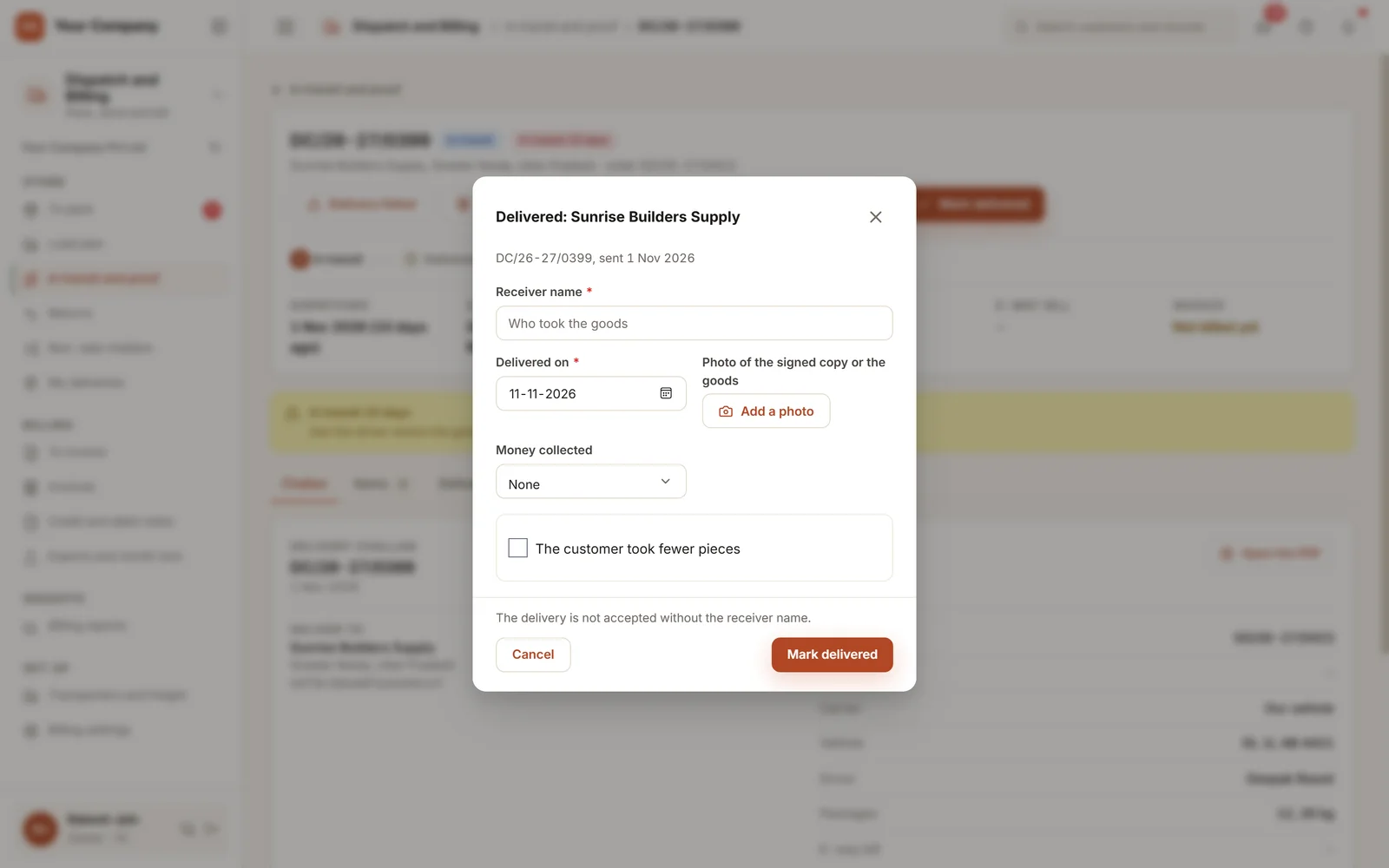
The form needs the receiver’s name.
The delivery form saves only with the name of the person who accepted the goods. The photo of the signed copy goes with it, along with any cash or cheque collected. If the customer took fewer pieces, that is entered here too, and the return starts from it.
Six screens the store and accounts open each day.
Real screens of the Business Suite, with sample data. Nothing here is a drawing.
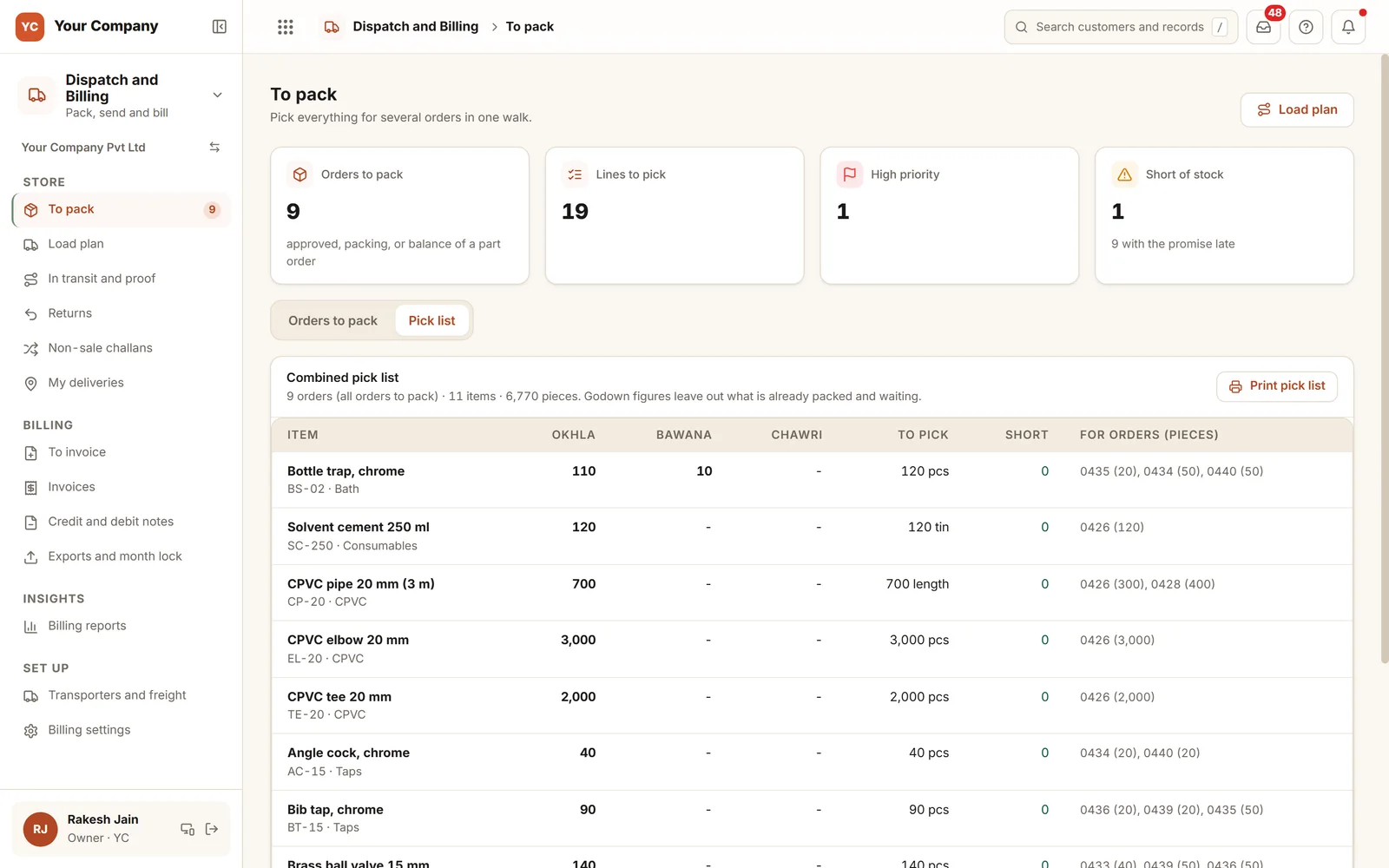
- 1Sorted by godownWhat to take from each godown, item by item.
- 2For which ordersThe order numbers and pieces behind each line.
- 3Shortages visibleAnything out of stock is counted before the walk begins.
The store packs using a phone. The driver delivers using a phone.
- 9:00 am
A single walk, nine orders
The store opens To pack on a phone, follows a single pick list for nine orders and packs each one from free stock.
- 11:30 am
The load goes out
Orders for one route are put on your own vehicle. Credit is rechecked where the last check is old or the dues grew, and the invoice is made at dispatch.
- 4:45 pm
Delivered, and signed for
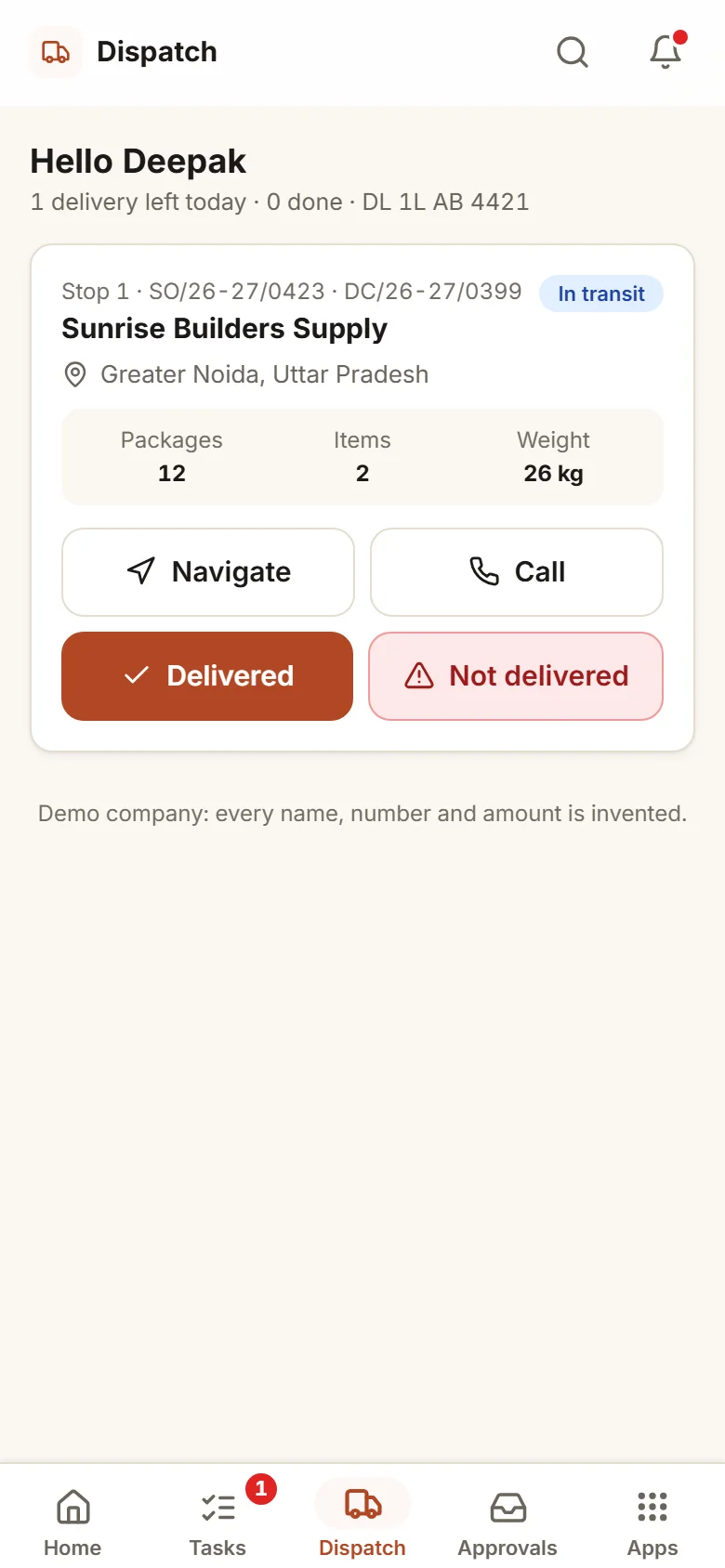
The driver taps Delivered, types who accepted the goods and adds a photo of the signed copy. The proof is kept on the dispatch.
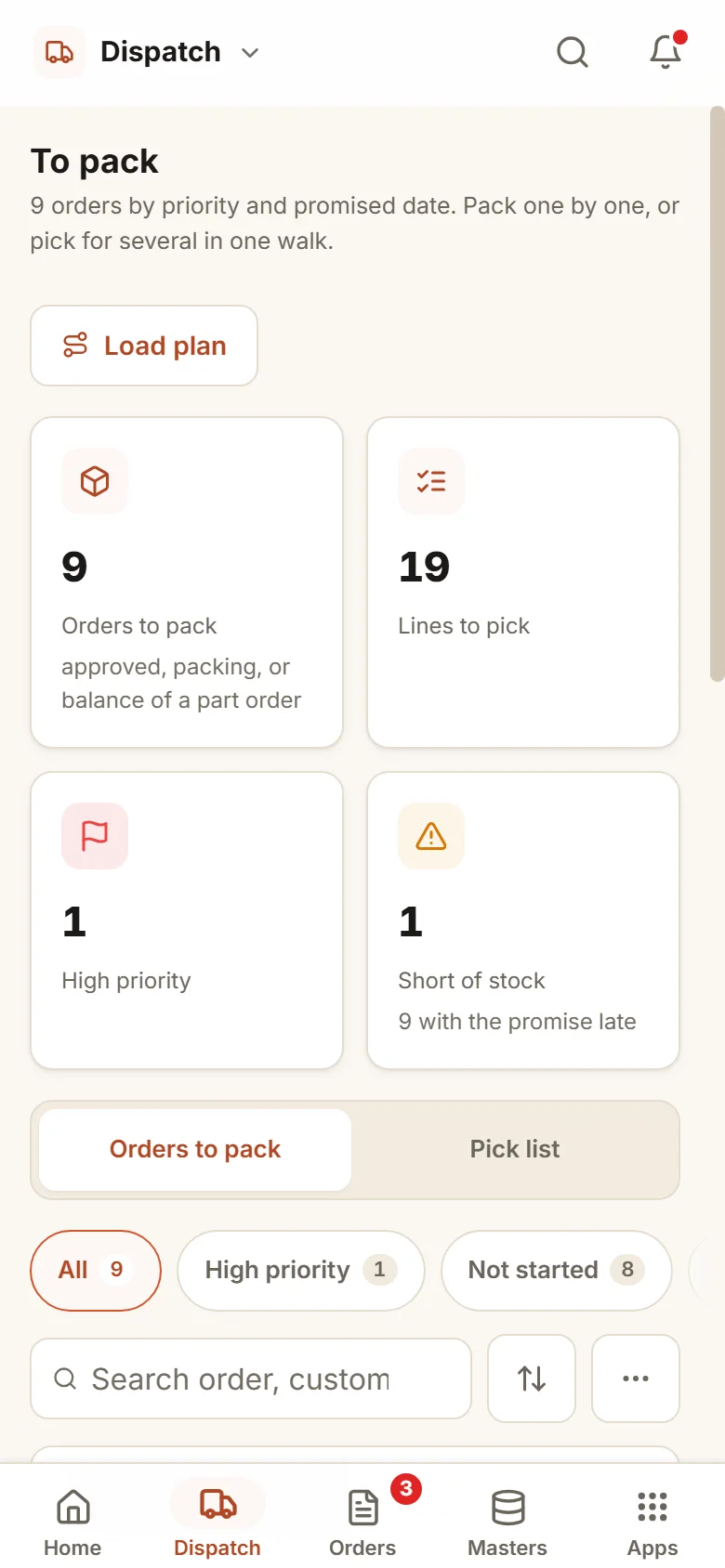
Billing and month end, your way.
Who raises the GST invoice
This app can do it, at dispatch by the store or later by accounts. Or leave billing in Tally and note the Tally bill on the dispatch.
Month lock
A month locks on the day you pick, or by hand. Invoices, notes and back-dated entries for a locked month are refused.
Credit note limits
Above the amount you set, a note waits for the owner. So do many small notes by one person in a day, or for one customer in a month.
Returns need a yes
When anyone other than the owner raises a return note, or the invoice is old, it waits for the owner’s yes, and the store counts and grades the returned goods. Switch on "returns through a return note only" and each return credit follows that count.
Cancel within days
Accounts cancels an invoice within the days you set, using the credit note that cancels it. An older invoice needs the owner, and one with money received takes a credit note instead. A bill in a locked month takes a credit note only.
Cash with drivers
Switch on reminders for cash a driver collected and has not handed in: the driver first, then accounts, then the owner.
Who it is for
- Manufacturers and distributors who send goods daily in their own vehicles or with transporters
- Firms where the bill is raised late or by someone other than the person who sends the goods
- Businesses whose accountant wants GSTR-1 and Tally files monthly
- Owners who want proof of each delivery before a customer disputes it
What it does not do
- It neither files GST returns nor calls the e-invoice or e-way bill portals. Your accountant uploads the files it prepares.
- This is not an accounting package. Tally keeps the books, and the Tally files carry the sales, notes and receipts.
- It relies on the store and drivers using their phones. We train them when you start.
One way in for every app of the Suite.
What owners ask before they start.
We bill in Tally now. Can we carry on?
Yes. Switch billing to Tally mode: this app makes no GST invoice, and the dispatch records the Tally bill number, date and amount so dues and proof still line up. Or let this app raise the invoice and pass Tally the file.
Can it generate e-invoices or e-way bills?
It makes no portal calls. It flags a dispatch above your value that has no e-way bill number, and it prepares the e-way bill Excel in the order of the portal’s bulk tool.
Which files does our accountant receive?
For each firm and month: a GSTR-1 shaped Excel with B2B, B2C, credit and debit notes, an HSN summary and documents issued, plus Tally XML and a Tally Excel of sales, notes and receipts.
What happens when goods come back?
A return note starts it. The owner says yes, the store counts and grades the goods, and accounts makes the credit note on what was counted. A replacement order takes one click. By default accounts may also raise a return credit note directly, and the switch "returns through a return note only" closes that door.
What is in the offer, and what does it cost?
Dispatch and Billing is an app of the Business Suite. You start with a free 14-day trial, then pick a set-up on your own data and a monthly plan, with no per-user charge. The current terms are in the pricing section of the Services page.
Where does our data live?
On our servers. Every list can be exported to Excel on request.
Dispatch and Billing works best next to these.
Try it on this week’s dispatches and see the proof in one place.
Try it first. Decide after. Fourteen days free with sample data, set up for you the same working day.