Pay only for what was ordered, received and agreed.
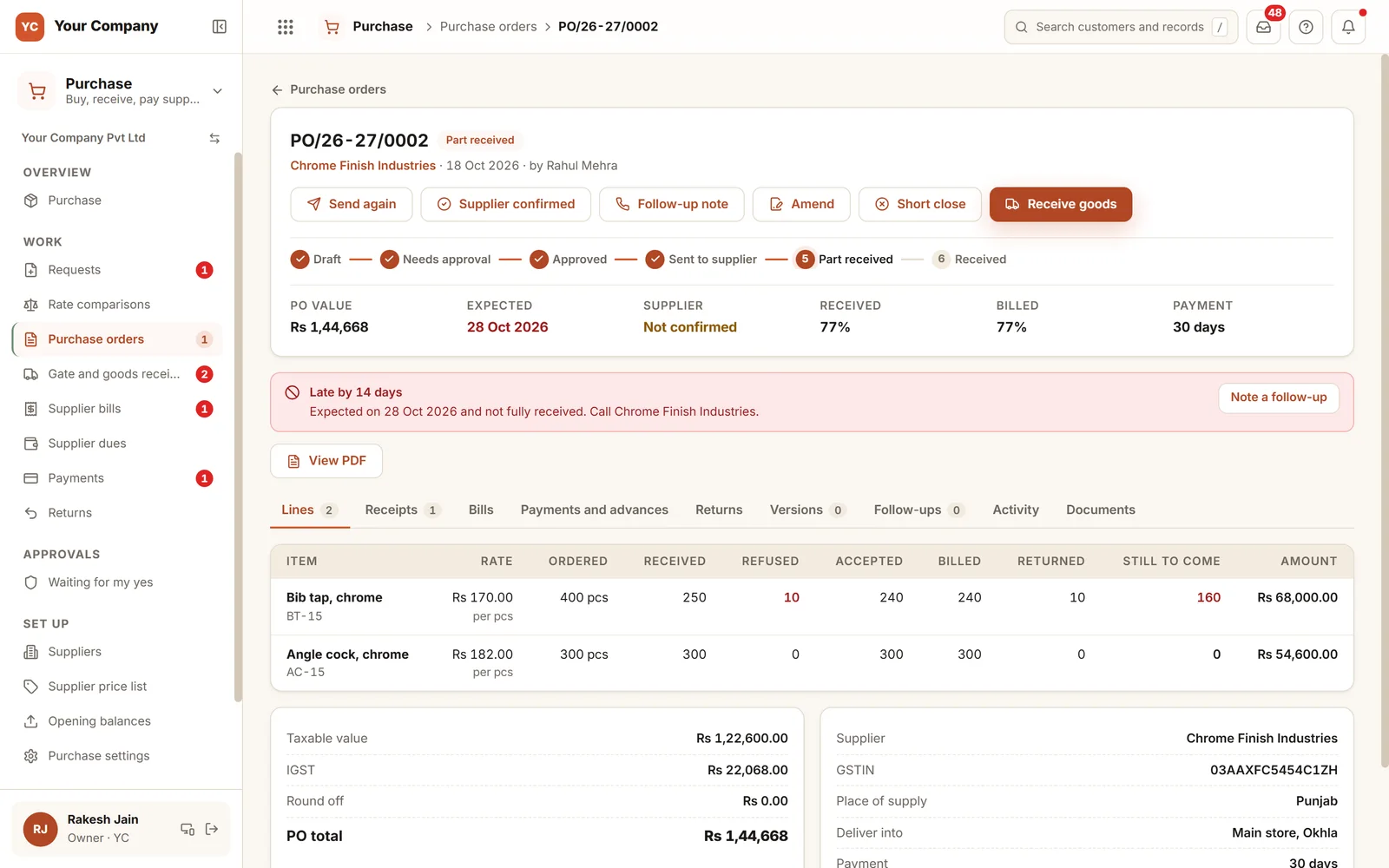
A goods bill raised against an order passes four gates: an approved order at the agreed rate, goods counted at the gate, a bill matched to both, and a payment drawn from approved bills. Advances and service bills follow their own limits.
- Free 14-day trial
- No per-user charge
- Works beside Tally
Most purchase losses are not theft. They are gaps.
A rate fixed on a call, a short delivery nobody noted, a bill paid from memory. Each gap is small, and together they eat into the margin.
- 01A supplier charges ₹62 a piece when the rate fixed on the phone was ₹58, and no one holds the agreed rate in writing.
- 02Ninety bags arrive against an order for a hundred, and the bill is paid for a hundred.
- 03Material needed for a customer order is late, and the factory learns of it the morning it is wanted.
- 04Anybody can raise an order of any size with any supplier.
- 05A supplier emails a request to change their bank account, and the next payment goes there.
Four gates for each goods bill.
Order, goods, bill and payment test one another. When one disagrees with the rest, it stops and says why.
Gate 1 · Order
Approved before it leaves
- A purchase request turns into an order, with its reason
- Over your limit, the order waits for your yes
- A rate above the agreed one needs a reason and a yes
- A supplier on hold gets no new order
Gate 2 · Goods in
Checked against the order
- Received against ordered, line by line
- Short and refused lines noted with a reason
- A quality check before stock rises
- A photo of the challan or the material
Gate 3 · Bill
Tested against both
- The bill’s rate against the order’s rate
- The bill’s quantity against what was received and checked
- A gap beyond your tolerance waits for your decision
- One bill number cannot go in twice
Gate 4 · Payment
Proposed, then approved
- Dues sorted by supplier and due date
- What can be paid now comes only from approved bills
- Each payment is proposed and approved before money leaves
- A locked month cannot be altered afterwards
When something does not agree, nothing is lost. Refused goods wait in a rejected godown until they go back on a debit note. A rate difference waits for your decision. A bill cannot be matched until the store has checked the goods, and goods received without a bill stay on a list until it arrives. Advances against an order, and service bills such as freight or repair, are paid under limits of their own.
Six screens your team opens each day.
Real screens of the Business Suite, with sample data. Nothing here is a drawing.
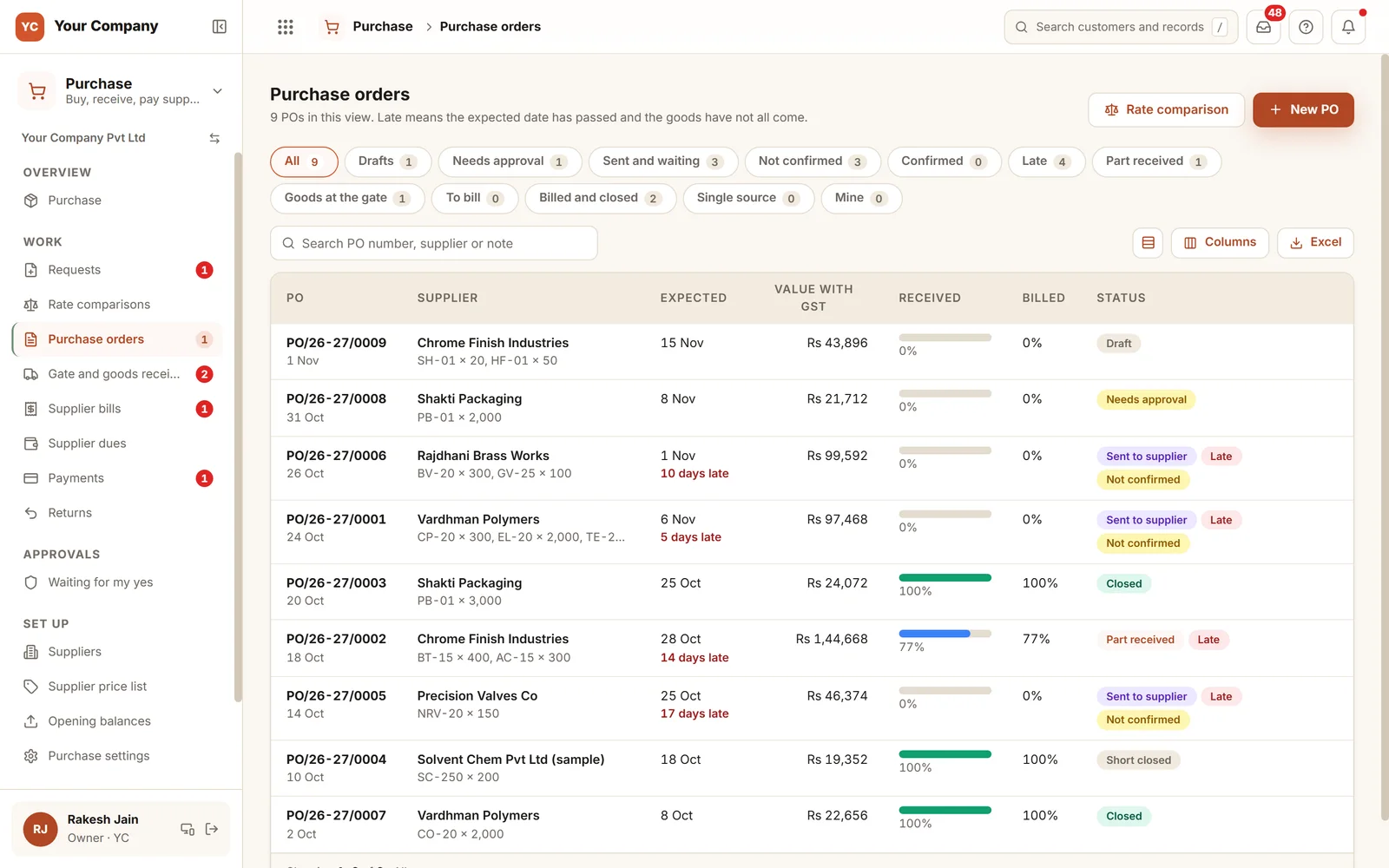
- 1Each PO in its stageDraft, needs approval, sent and waiting, late, part received, billed and closed.
- 2Received and billed, as a percentageHow much of each order has arrived and how much of it is billed.
- 3Lateness is visibleThe days late sit under the expected date, before the factory feels the gap.
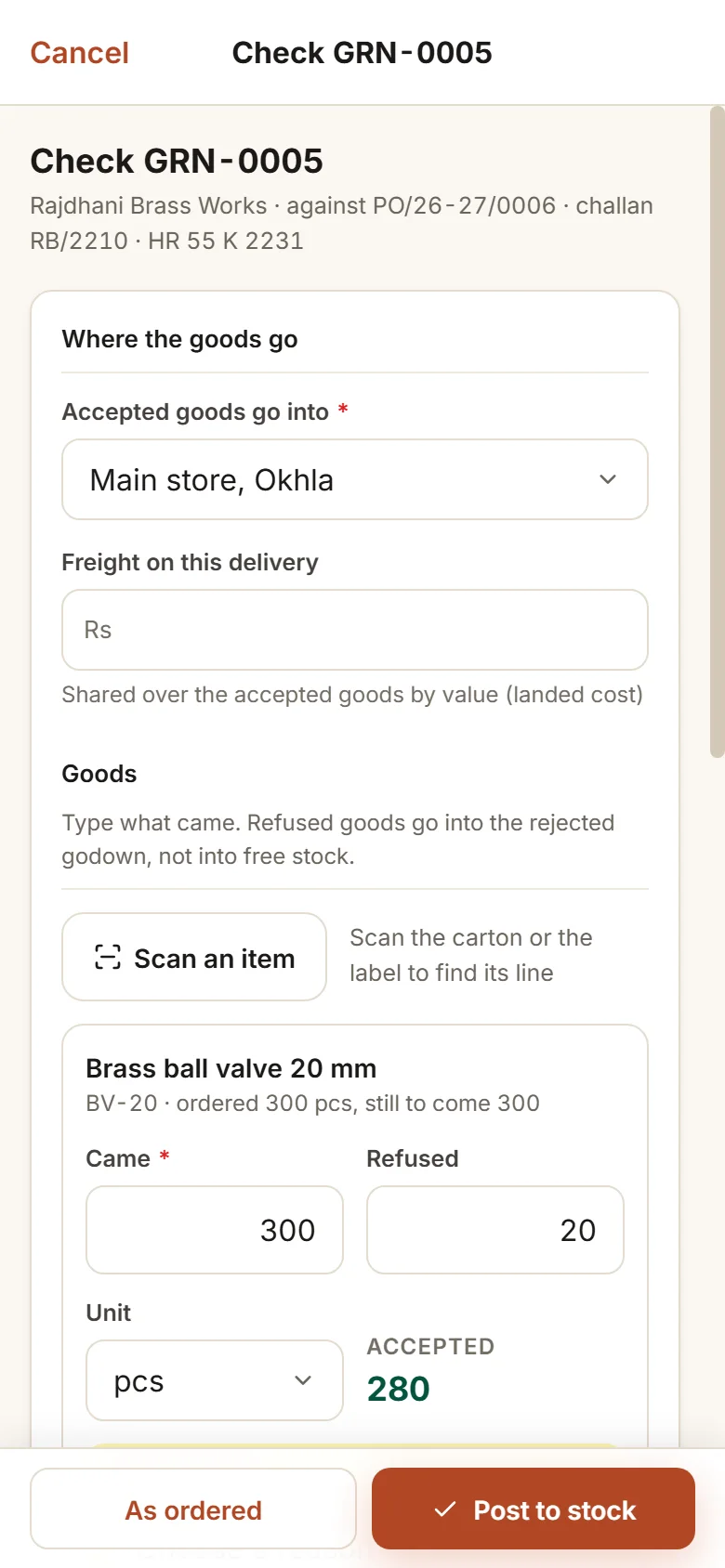
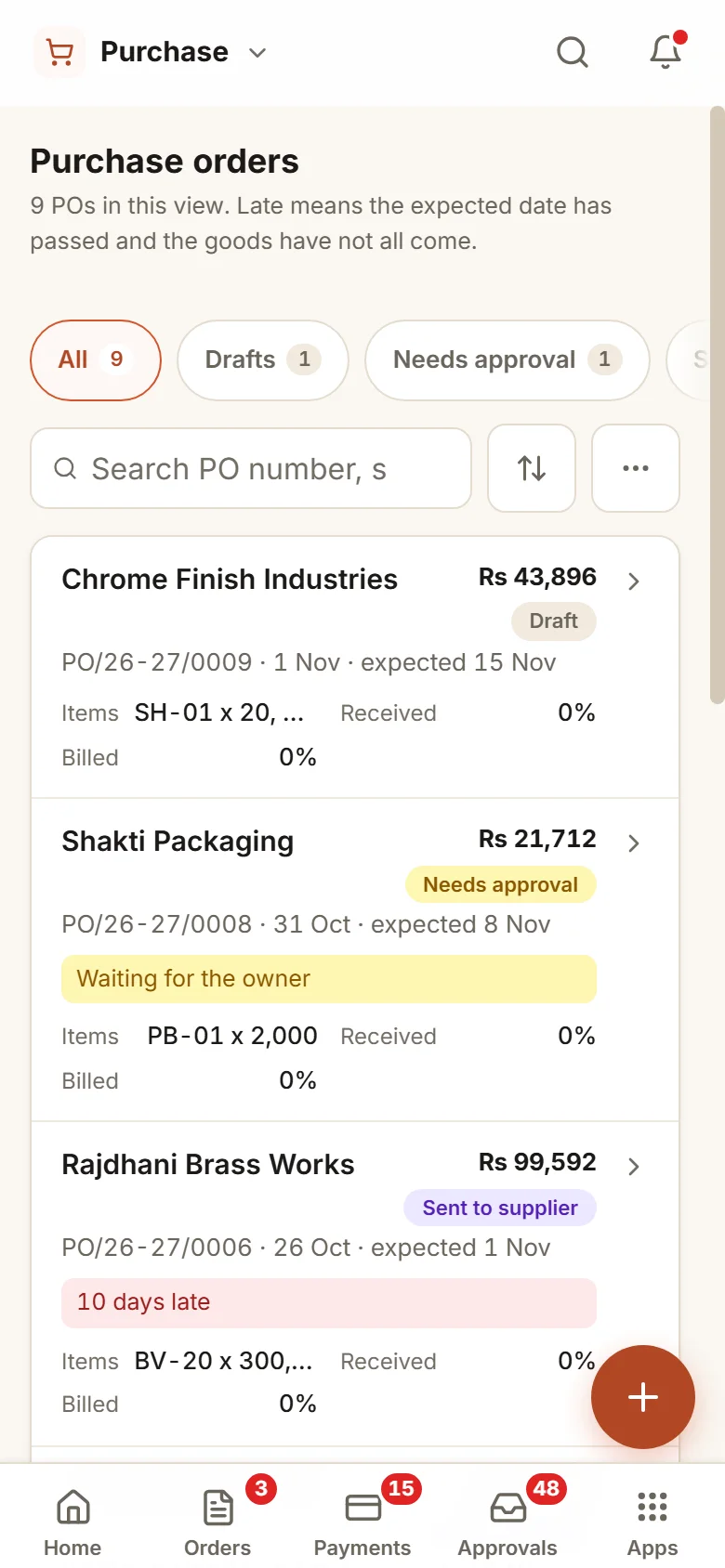
The store books goods in on a phone, and the owner approves on one too.
- 10:30 am
A truck pulls in
The store opens the order on a phone and counts what came. Two bags are short and one is refused, and the store photographs the challan.
- 1:00 pm
The supplier’s bill is keyed in
Accounts enters the bill. One line’s rate is above the order’s, so the bill is held, with the reason shown.
- 6:00 pm
You approve payments
Tomorrow’s supplier payments wait as proposals drawn from approved bills, one per supplier. You approve each one or refuse it.
Set the rules once and the system holds to them daily.
Order limits, and a clock on every wait
Choose the amount above which an order waits, and who may raise one. Anything above it waits for a yes, with the oldest waiting approval shown first.
New bank details wait for you
If anyone other than the owner changes a supplier’s bank details, the change waits for the owner’s yes, and the old account stays in force until then.
Supplier on hold
Hold a supplier over quality or a dispute. No new order goes to them, and every payment to them shows a warning until you lift the hold.
Month lock
Close a month and its purchase records stay as they were, so your accountant sees the same figures every time.
Supplier scorecard
On-time delivery, goods refused and rate rises for each supplier, so the next order goes to the one who delivers.
Goods in, bill not yet in
Goods that arrived without a bill are listed, so nothing received is forgotten at month end and nothing is paid twice.
Who it is for
- Manufacturers who buy raw material and parts every week
- Trading firms with a long supplier list and shifting rates
- Owners who approve each payment and want to see what they are approving
- Businesses where the store, accounts and the owner sit in different places
What it does not do
- It does not replace your books. Tally or Busy keeps them, and matched bills go across to it.
- It files no GST returns.
- It relies on your store recording goods in. We train whoever does it.
One way in for every app of the Suite.
What owners ask before they start.
Tally is already in use here. Is this needed too?
Tally keeps the books once money has moved. This app runs the work before that: the request, the order, the approval, the goods received and the match with the bill. Matched bills go across to Tally, so your accountant enters nothing twice.
Which people work in it every day?
The buyer raises orders, the store receives goods on a phone at the gate, accounts matches bills and proposes payments, and the owner approves. Each person sees only their own part.
Can the approval limits follow our own rules?
Yes. You set the amount above which an order waits, who may raise an order, the approval bands, and who may stand in when someone is away.
What happens when a supplier sends goods with no order?
The store notes what arrived. It then waits for the owner’s yes with the reason given, and its bill is matched against what was checked at the gate.
What is in the offer, and what does it cost?
Purchase is an app of the Business Suite. You start with a free 14-day trial, then pick a set-up on your own data and a monthly plan, with no per-user charge. The current terms are in the pricing section of the Services page.
Where does our data live?
On our servers. Every list can be exported to Excel on request.
Try it on one supplier’s next order and watch the four gates work.
Try it first. Decide after. Fourteen days free with sample data, set up for you the same working day.