Your whole business in one app.
Orders, payments, stock, purchase, tasks, attendance and service, on the phone and the computer, beside Tally. Start with the two or three apps that hurt most. We set them up on your data and keep them running.
Shilp Labs (ShilpLabs) sets up business management software for Indian businesses: the Business Suite, one app for orders, payments, stock, tasks and the team.
Try it first. Decide after.Fourteen days free on your own trial company, with no card and no payment.
- Free 14-day trial with sample data
- Works beside Tally, with GST invoices
- Speak to it in English or Hinglish
- No charge per user
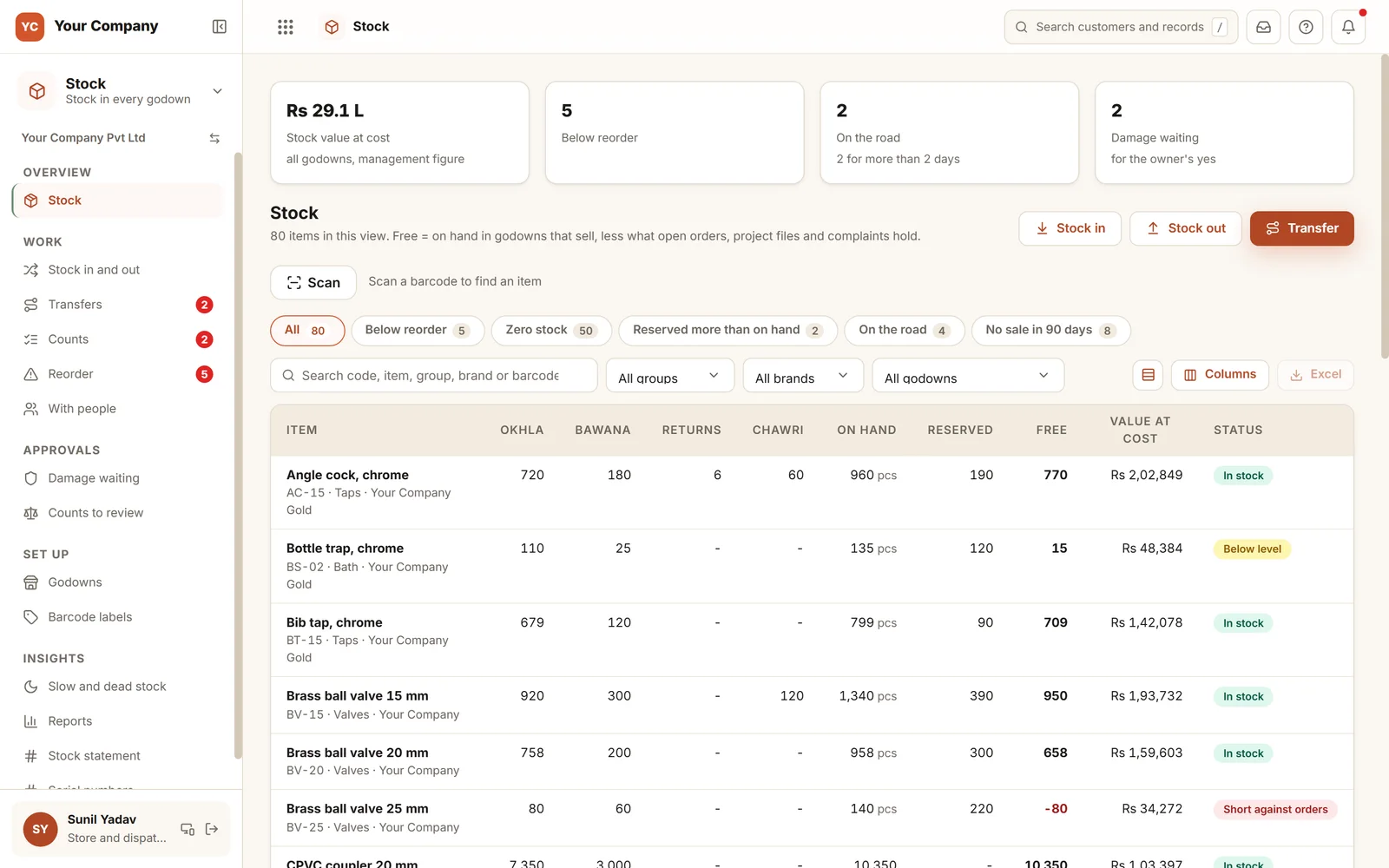
Start with these three. Add the rest when you need them.
Orders, money owed and stock are where most businesses feel the leak first. All three share one list of customers and items.
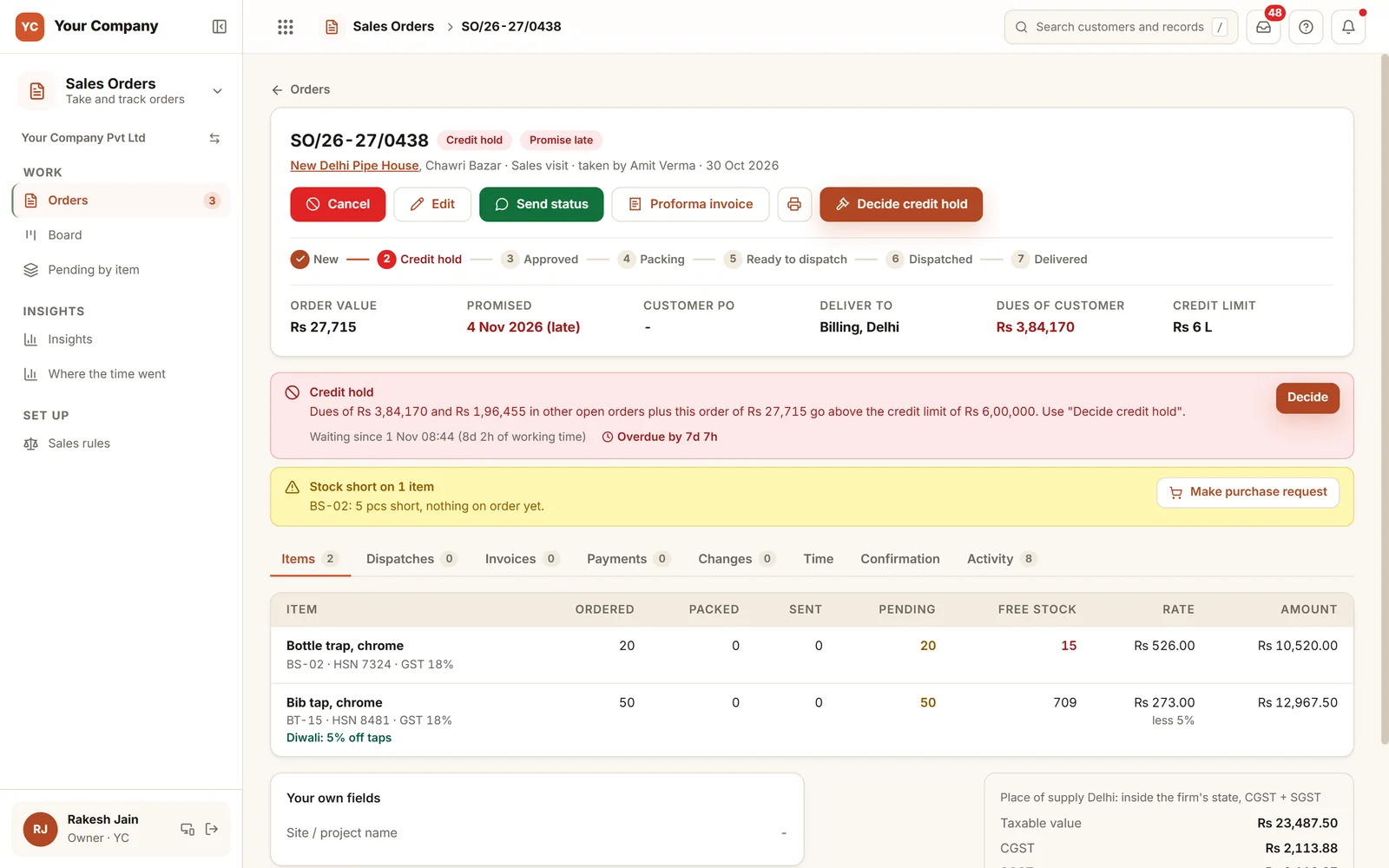 Sales OrdersTake only the orders you will collect on. Deliver them when you said.See Sales Orders
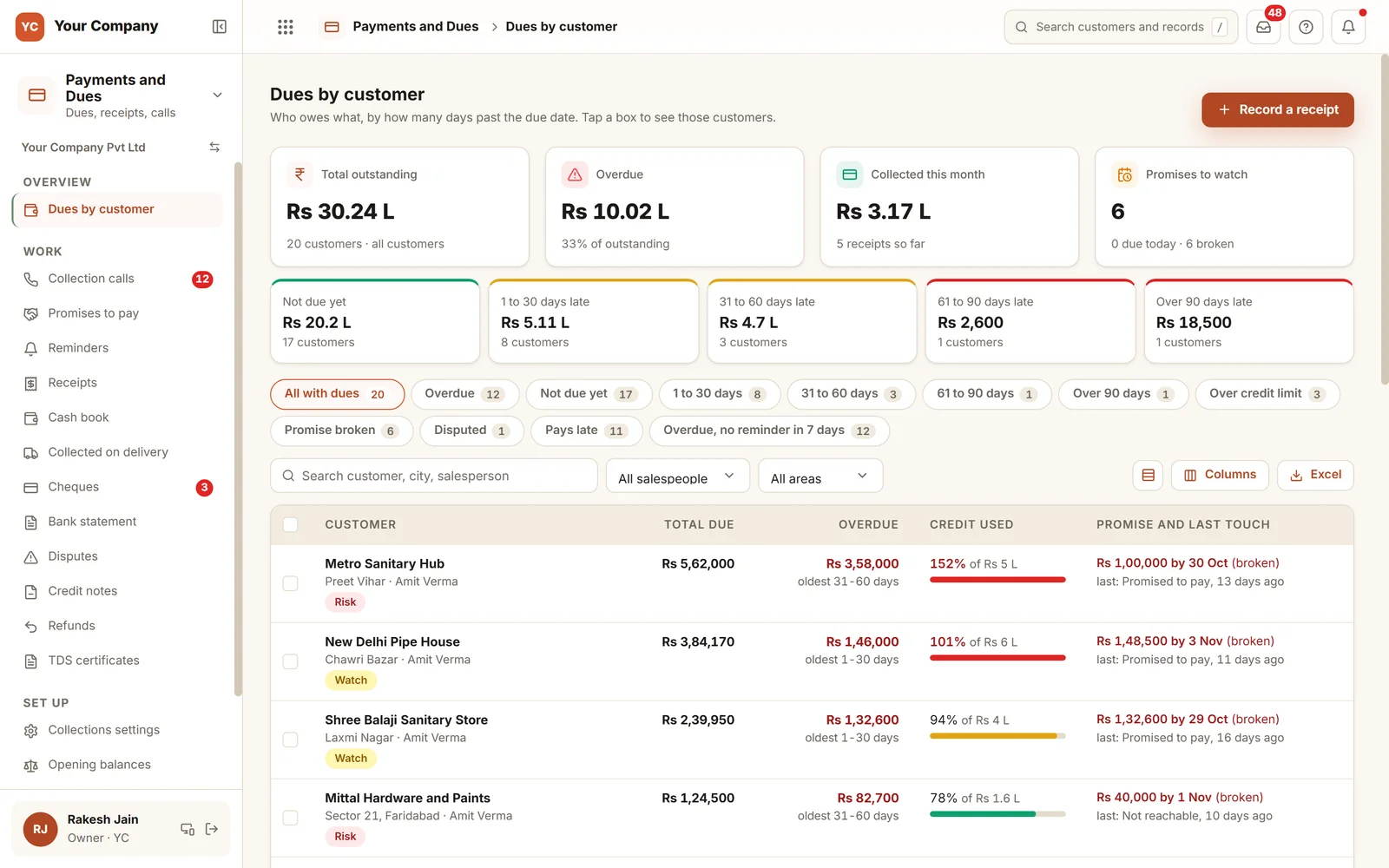 Payments and DuesKnow who owes you, and follow up before it ages.See Payments and Dues
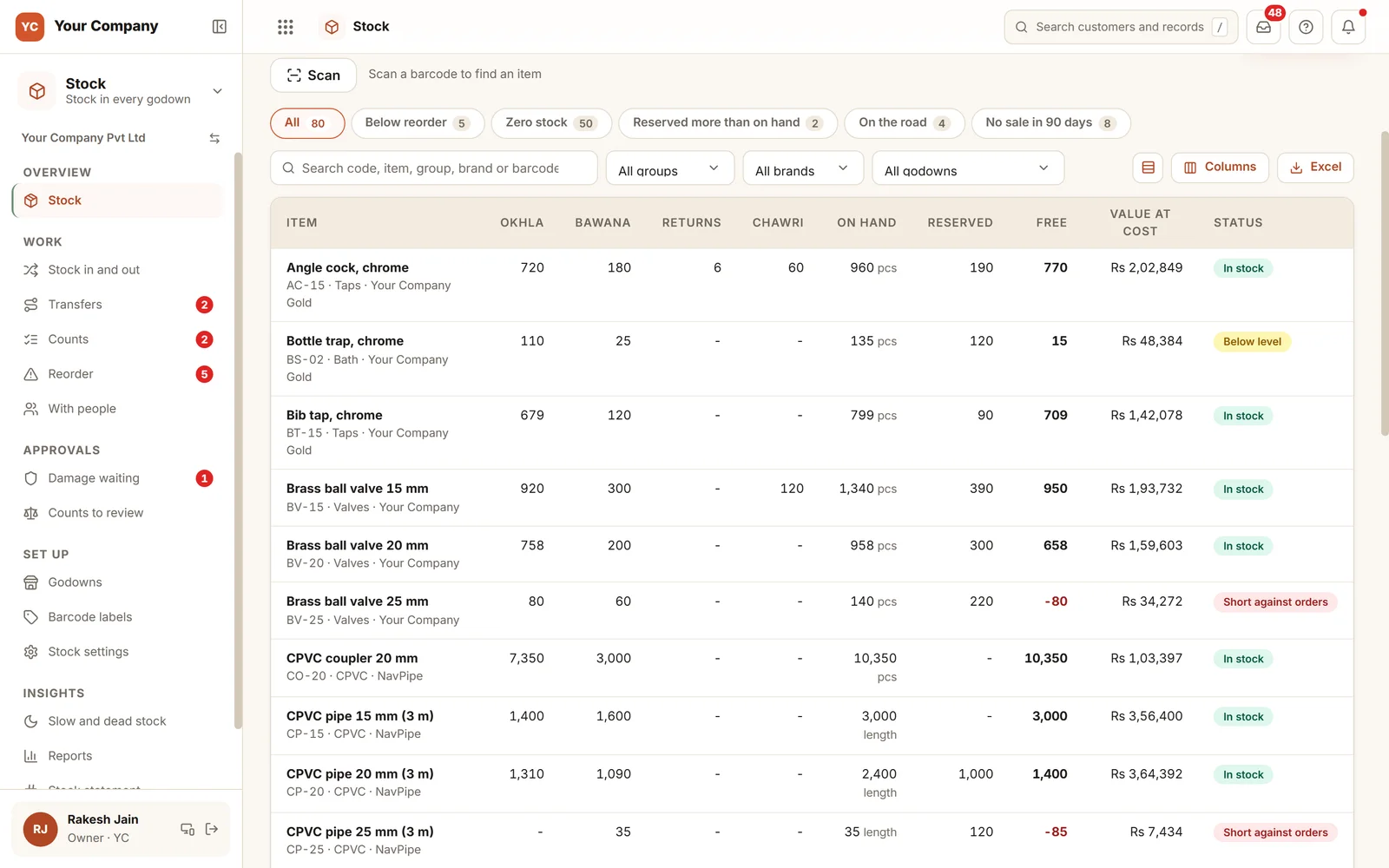 StockMake the book and the shelf agree on every item.See Stock
The same app on the owner's laptop and the team's phones
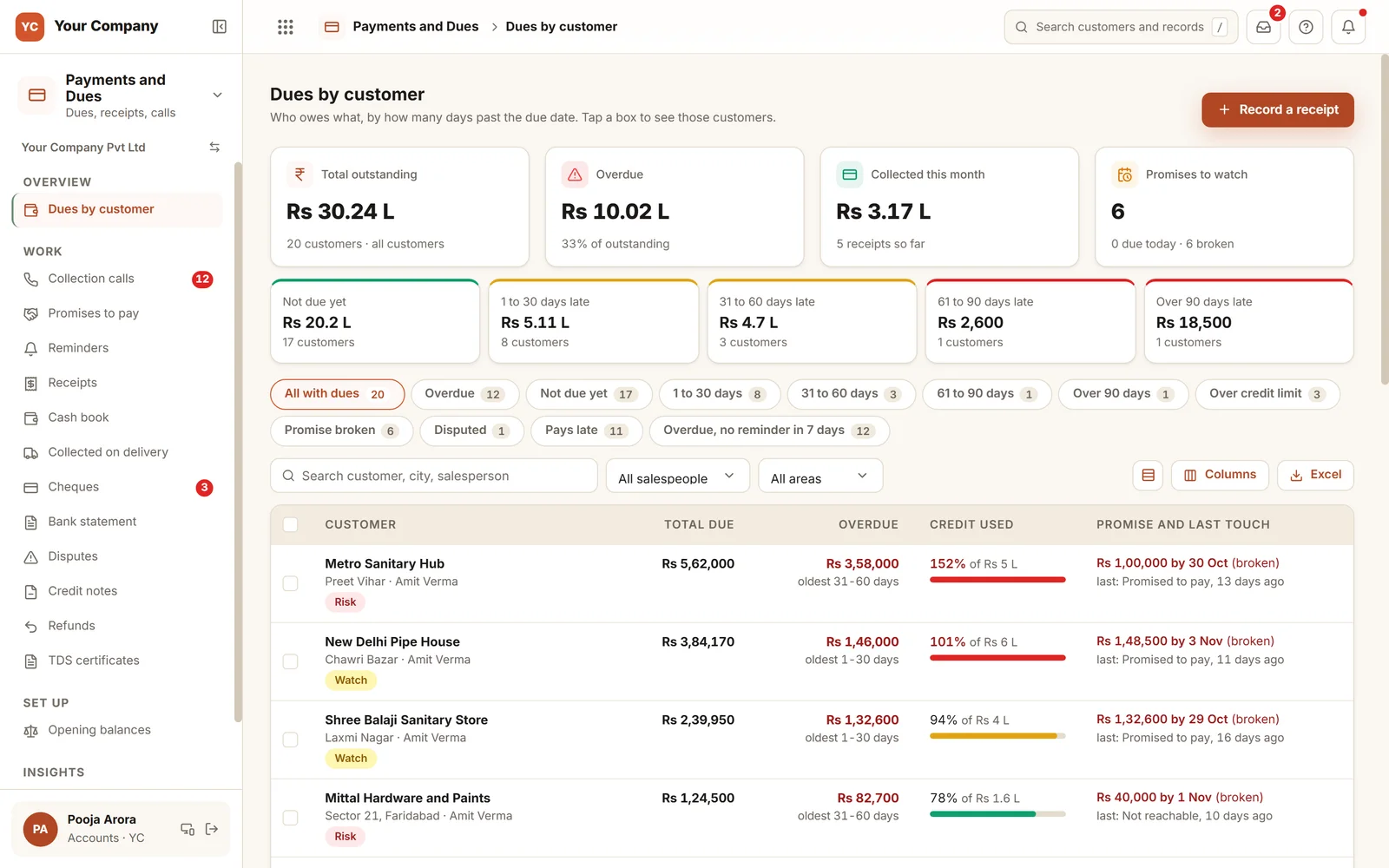
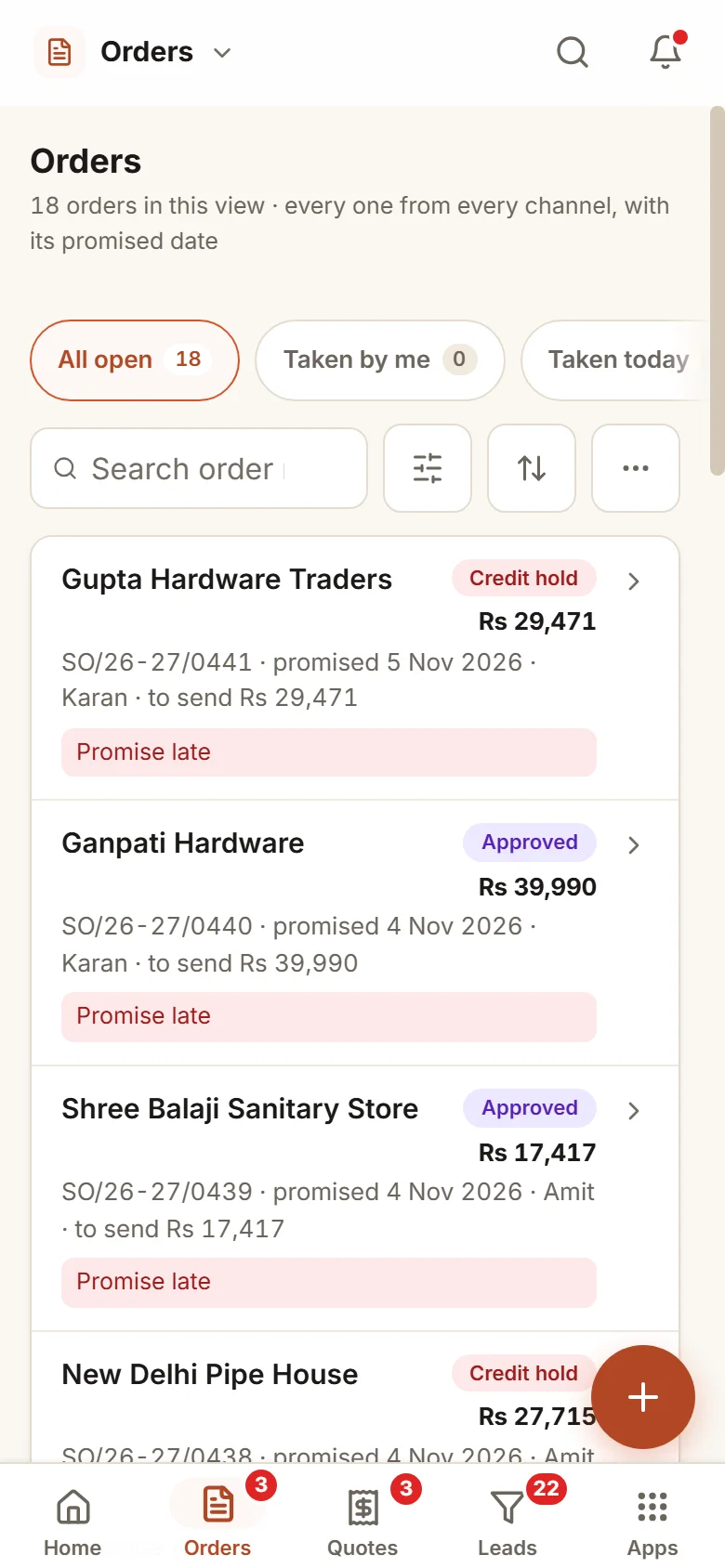
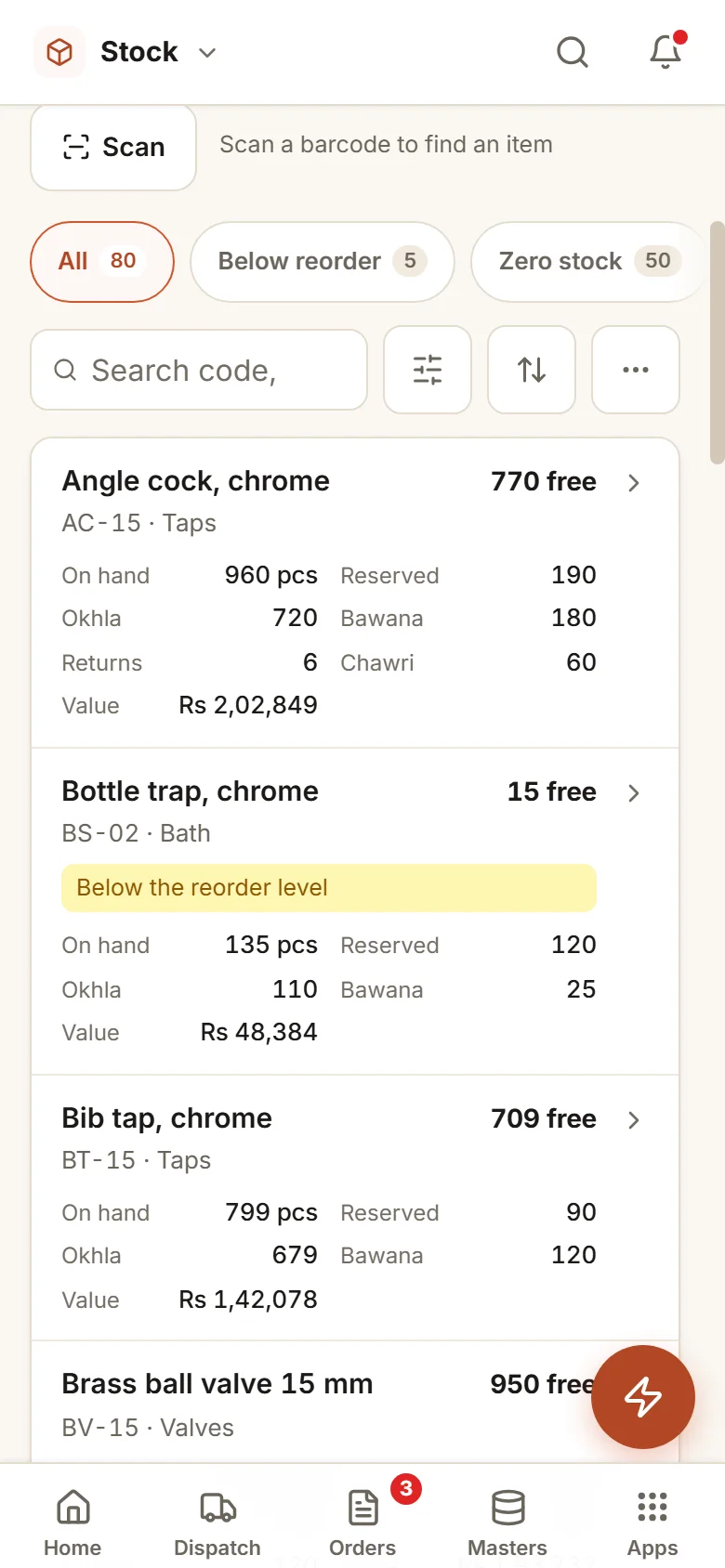
Example screens of the Business Suite. Sample data.
Pick what you need today. Add the rest later.
Every app shares the same customers, items and people, with one sign-in. Home and Masters come with every company.
Sell
Leads and Follow-upEnquiries and follow-ups, IndiaMART and your websiteQuotationsVersions, discount approval, terms, to orderSales OrdersEvery channel, credit check, part supplyField SalesBeats, visits, check-in and targetsDeliver and buy
Dispatch and BillingPack, send, GST invoice, Tally exportStockEvery godown, transfers, reorder, countsPurchaseRequests, POs, goods in, supplier billsMoney
Payments and DuesDues by age, promises, reminders, chequesExpensesClaims with bill photos, limits, petty cashReportsDashboard, sales, dues, GST summaryPeople and work
TasksGive, follow up, check with proof, routinesTeamAttendance with selfie, leave, month sheetHelp deskAsk IT, admin, accounts or HR, with time limitsCreative DeskPosters, posts and printing, with proofsWhich business do you run?
Each trade loses time and money in its own places. Pick yours to see the systems we set up for it.
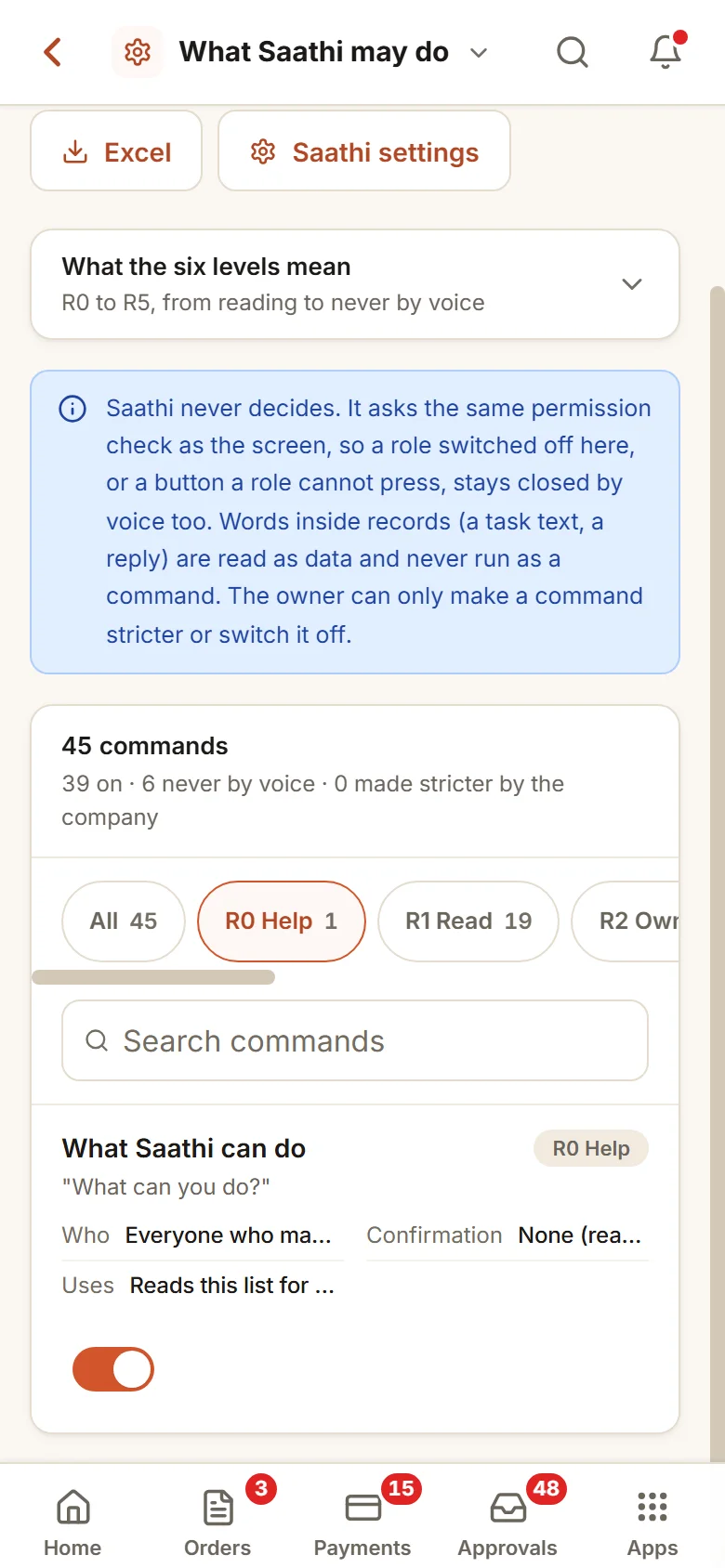
Just say it. Saathi does it.
Give a task, mark work done or ask what is pending, by voice, in English or Hinglish. Saathi shows what it will do and waits for your yes.
From trial to your own data
Free 14-day trial
A company with sample data and the apps you pick, set up for your kind of business the same working day.
Your data in
Customers, items and staff come in from Excel. Your words, your steps and your own fields, set to how you work.
Live, and kept running
Your team signs in on the phone. We stay on for small changes, help and updates.
Do not read about it. Click it.
Pick a system. Press a number to see that part of it, or press the picture: a working demo with sample data opens. Add an order, send a reminder, open the report with its charts. Then picture your own customers in it.
Sample data: Sample data of an invented firm. No signup. Nothing is saved.
Every order from booking to dispatch, and every payment followed up on time. More about Order & Payment Tracker →
One price to set up. A monthly fee to keep it running.
The same price for any of the systems. No per-user charge.
Free trial
A company with sample data and the apps you pick.
- Set up for you the same working day
- A 20-minute walk-through
- Use it with your team for 14 days
- No card, no payment
Setup on your data
The apps you pick, set up on your own data.
- Customers, items and staff brought in from Excel
- Your steps, your words and your own fields
- Training for your team
- First month of care included
Running and care
Keeps it running and growing with you.
- Small changes as you work
- Help for your team
- Updates as the apps grow
- No charge per user
How the plans work
- The trial is free for 14 days. No card is asked for.
- Half the setup price to start, the rest at go-live.
- The monthly fee is paid at the start of the month.
- First term is three months, then 30 days notice either way.
- Extra work is quoted before it starts.
What is not included
- Daily follow-up with your staff. One person on your team does that, and we train them.
- New modules and new integrations. Each gets its own quote.
- Cleaning old data beyond the first import.
- WhatsApp provider charges, only if you choose the automatic WhatsApp add-on. You pay the provider directly.
Add-ons
Each has its own quote.
- Automatic WhatsApp messages through a WhatsApp provider you choose (its charges are paid to it directly)
- Old records cleaned and brought in, beyond the first lists
- A special report or a link to other software, quoted on its own
What owners ask us first
Straight answers. If yours is not here, ask it on WhatsApp or through the form.
Ask your questionWhat exactly do you do?+−
We set up business systems around the way you already work: order tracking, payment follow-up, staff tasks, enquiry follow-up, service calls, project tracking and similar. They are apps of one product, the Shilp Labs Business Suite: try it free for 14 days, start with the apps you need, set up on your own data. Then we keep it running for a monthly fee. We also build business websites.
How do we know it will work for us before we pay?+−
Try it first. We set up a trial company with sample data and the apps you pick, the same working day, free for 14 days. You pay only after you have used it and agreed the scope and the price in writing.
Do we have to leave Tally, Excel or WhatsApp?+−
No. Tally or Busy stays for billing and accounts. WhatsApp stays for talking to customers. The system takes over the part that runs on memory today: who has to do what, by when, and what is still pending.
What does it cost?+−
A free 14-day trial, then a one-time price to set up the apps you pick on your own data, and a monthly fee to keep it running. The current prices are on the pricing page. There is no charge per user.
Our process is different from everyone else. Will it fit?+−
It usually is different, and that is why the apps are set up for you. The stages, fields, messages and reports are set to match how you work. You see it in the live demo and the free 14-day trial, before any payment.
Who keeps it going after it is live?+−
One person on your team keeps the data updated. We train them. The monthly running and care covers small changes, help and updates. We do not do daily follow-up with your staff.
What if we stop working with you?+−
Your data is yours and can be exported at any time. After the first three months, either side can end the monthly plan with 30 days notice.
Read before you spend a rupee
Formats, routines and checklists you can use with a notebook or a sheet, with or without us.
Client check-in routine for a coaching practice
A client check-in routine for a coaching practice: the weekly check-in, the silence rule, follow-up calls and the renewal talk, with a free Excel tracker.
What the owner should see every evening: a daily report
A daily report template for the owner: the ten numbers worth reading every evening, where each comes from, who fills it, and the WhatsApp message it becomes.
Tour enquiry to booking: the follow-up messages
Follow-up messages for a travel agency, from the quote to the booking, the balance and the papers, with a free Excel sheet that keeps a date on every enquiry.
Lead follow-up script for property callers
A lead follow-up script for property callers: the first call, the call after no answer, before and after a site visit, and a call sheet in Excel to keep dates.
Licence and renewal calendar for a factory
A licence and renewal calendar for a factory in Excel: one row per licence, policy, AMC and agreement, when to start each renewal, and one person for each date.
Site handover checklist for an interior project
A site handover checklist and snag list for an interior project, room by room: what to check, who fixes each snag by when, and what to hand over with the keys.
Registers you can download today
Example rows and colours that show what needs attention. Free, no form to fill.
Quotation register format in Excel
One row per quotation: amount, validity, next follow-up and the reason if it is lost. Quotes about to lapse turn amber.
Order register format in Excel
One row per order, from the day it is taken to the day the payment falls due. Late orders turn red by themselves.
Daily production report format in Excel
One row per machine and shift: target, pieces made, rejected, minutes lost and the reason. A shift that falls short of its target turns red by itself.
Delegation sheet format in Excel
The record of every task you give: planned date, first revised date, actual date done and days late. The second sheet counts a weekly score for each person.
See your own business in it
A trial company with sample data and the apps you pick, set up the same working day.