Licence and renewal calendar for a factory
A licence and renewal calendar for a factory in Excel: one row per licence, policy, AMC and agreement, when to start each renewal, and one person for each date.
The truck was stopped on the highway and the driver called: the insurance had ended four days ago. Nobody had hidden it. The policy was in a drawer, the date was in somebody's diary, and that somebody was on leave. A factory carries many such dates: licences and registrations, fire and pollution papers, insurance policies, vehicle papers, AMCs, rent agreements. Each one is easy. Together, with different dates and different people, they slip.
A renewal calendar puts every one of them in one sheet, with the date read from the paper, the day the renewal work must start, and one person for each row.
This guide names no validity period and no due date set by any law. Read every date on your own certificate or policy, and ask your consultant or the issuing office which renewals apply to your factory and how early each one must start.
Licence renewal tracker: the thirteen columns
| Column | What to write | Why it matters |
|---|---|---|
| Item | Factory licence, fire NOC, vehicle insurance, compressor AMC, godown rent agreement | One row per paper that can lapse |
| Type | Licence or registration, insurance, AMC, vehicle papers, agreement, certificate | One kind can be filtered |
| Number | As printed on the paper | Needed for every renewal form |
| Issued by | The office, insurer or vendor that renews it | You know whom to call |
| Valid till | The last day of validity, read from the paper | The date everything else is counted from |
| Start (days before) | How many days before "Valid till" the work must begin | Some renewals need weeks of papers and an inspection |
| Start by | Fills itself in the Excel file | The real deadline for your office |
| Days left | Fills itself in the Excel file | Below zero means it has lapsed |
| Person | One name | A date with two owners has none |
| Status | Not started, papers being made, applied, renewed | Shows where a renewal is stuck |
| Renewed till | The new validity, once renewed | Starts the next round |
| Where the copy is | The file, folder or drive | Nobody searches the office on the day of an inspection |
| Remarks | What is pending: a paper, an inspection, a payment | The next step in one line |
How to fill it the first time
- Collect the papers, not the memories. Open every file in the office and every folder on the computer. Write one row for each paper that has an end date.
- Copy "Valid till" from the paper itself. Not from a diary, an old sheet or somebody's guess.
- Ask how early each renewal must start. Your consultant, insurer or the issuing office knows how long the papers, the inspection and the payment usually take for your factory. Write that in "Start (days before)".
- Give every row one person. The owner can be the person for a few rows. Nobody can be the person for none.
The first round takes an afternoon. After that, the sheet only needs a few minutes a month.
Three rules that keep the calendar working
- "Start by" is the deadline, not "Valid till". A renewal that starts on its last day is already late.
- A renewed row is closed only with the new date. Write "Renewed till", then move it into "Valid till" for the next round, so that the row comes back on time next year.
- A new paper gets a row the day it arrives. A new vehicle, a new AMC, a new godown: the row is written before the paper goes into the file.
How to read it on the first working day of the month
- Red rows first. Something has lapsed, or its renewal should have started and has not. Decide today who does what.
- Then amber rows. Renewals in progress. Read the remarks and ask what is pending.
- Then sort by "Start by". The rows at the top are next month's work. Tell each person now.
Sheet or system?
A sheet is enough while one person keeps it and reads it with the owner every month. It builds the habit that matters: every date has a paper behind it and a name next to it.
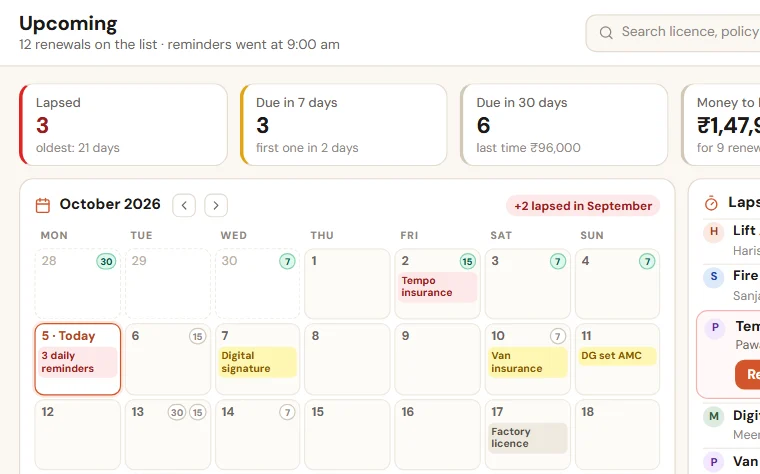
The sheet starts to fail when nobody opens it between the monthly readings, when the person responsible is on leave in the week that matters, and when the owner learns about a lapse from outside. At that stage we set up Renewal Reminders on your own list, in which the person responsible gets a WhatsApp reminder 30, 15 and 7 days before each date, and every morning after it, with a copy to the owner, until the item is renewed. You can try the live demo without signing up.
Take the format with you:Licence and renewal calendar (Excel, 47 KB)
Want to see this on your own data?
Share last month of your data. We come back with a working demo. No payment for the demo.