Compliance Task Tracker: Know where every filing is. And who it is waiting on.
Every return for every client on one grid, with one person and one date. See what waits on the client and what waits on your team, and remind for missing documents on WhatsApp in one tap.
- Demo on your own data before you pay
- Live in two weeks
- Fixed price, from ₹25,000
- Works on any phone
Sample data: Mehta & Associates is an invented CA firm in Preet Vihar. No signup. Nothing is saved.
Press a number to see that part, or press the picture to open the working demo with sample data. Nothing is saved. Open it full screen · Set up for CA firms
How it runs today
- The due-date sheet is an Excel file that one senior updates when there is time. On the day that senior is on leave, nobody knows the position.
- The client sends the data on the last day, and nobody can show when the reminder was sent or what exactly was asked for.
- You find out that a return is stuck two days before the date, when the article says the client has not sent the purchase register.
- Review reaches the partners on the last evening, for all clients together.
- When an article finishes the term, the half-done work and the chats with clients leave too.
How work moves through it
- 1At the start of the year the firm sets its own date for every filing of every client
- 2Each task opens by itself with one person, one partner and that date
- 3The client's documents are ticked as they arrive, and missing ones get a WhatsApp reminder
- 4Finished work goes to the partner for review, and comes back with a note if something is wrong
- 5Filed work is closed with its acknowledgement number, and the partners get one report a week
Every part, spelled out
Due-date list
Every filing for every client under overdue, today, this week and later. Filter by GST, TDS, income tax, ROC or payroll.
Document checklist
What each client must send every month, ticked as it arrives. A task waiting for documents moves to your team when the last one is ticked.
Reminders to clients
A polite WhatsApp message that lists exactly what is missing for that return, from the firm's own number. Each reminder is saved with its date.
Review step
Work goes to the partner before it is filed. The partner marks it filed, or sends it back with a note on what to change.
Acknowledgement record
The ARN, token, SRN or acknowledgement number is saved on the task when it is filed, and can be sent to the client in one tap.
Team view and weekly report
Open, overdue and review work for each person, with client delays shown apart from team delays. One message to the partners every week.
Made for businesses like yours
Partners of a CA or tax firm
With two or more partners, 5 to 30 staff and the same monthly, quarterly and yearly filings for every client. They want the position without calling for the sheet.
Seniors and managers
Who give out the work, chase clients for documents and answer for every date in front of the partners.
Articles and accountants
Who need one list of their own work for the week, with what is still to come from each client.
What you get, and when
- Your clients, staff and partners set up, with who looks after which client
- Your own filing calendar for the year: GST, TDS, income tax, ROC, PF and ESI, with the firm's date for each
- Open work of the current month loaded from your due-date sheet
- The monthly document checklist for each client, and the reminder messages in your wording
- Due-date list, client checklists, review step, team view and the weekly report
- Logins and training for partners and staff, and one month of care after go-live
How the work runs today
Every client has the same filings, month after month: GSTR-1, GSTR-3B, TDS, PF and ESI, and then advance tax, ITR, tax audit and ROC through the year. The dates are known to everyone. What is not known, on any given morning, is where each filing stands. The due-date sheet is a few days old. The reason a return is stuck sits in an article's WhatsApp chat with the client. Review reaches the partners on the last evening, all at once.
What changes with the tracker
- Every filing for every client is a task with one person, one partner and one date.
- The firm's own date sits a few days before the last date under the law, so there is time to review.
- Each task shows who it is waiting on: the client for documents, your team, or a partner for review.
- Reminders for missing documents go on WhatsApp from the firm's number, and each one is on record.
- Filed work carries its acknowledgement number, so proof is found in seconds.
- The partners read one report a week instead of calling for the sheet.
What it does not do
It does not file returns, and it is not a GST or tax utility. Filing stays on the government portals, with the software you use today. It does not work out due dates from the law: your firm sets them at the start of the year and changes them when a date is extended. It does not read or keep client passwords. It also does not chase your staff for you. A senior in your firm keeps the list honest, and the tracker shows where to look.
What we need from you
- Your client list, with the filings that apply to each client
- Your staff and partners, and who looks after which client
- The dates your firm wants for each type of filing
- Your current due-date sheet, so that open work can be loaded
- An hour for the demo and an hour for training
One fixed price to set up. A small fee to keep it running.
No per-user charge. You see a demo on your own data before you pay anything.
Starter system
One process, set up for you and live in two weeks.
- A working demo on your own data before you pay
- Scope and price on one page
- Your current data loaded and your staff trained
- First month of care included
Care plan
Keeps the system running. Starts from the second month.
- Backups and uptime watched
- Faults fixed
- Two small changes a month
- Reply by the next working day
System Partner plan
For when your daily work runs on the system.
- Up to 8 hours a month of new reports, automations and changes
- A weekly report to the owner
- A monthly review call
- Training for new staff
How the plans work
- Half the setup price to start, the rest before go-live.
- The monthly fee is paid at the start of the month.
- Hours are written down. Unused hours do not carry over.
- First term is three months, then 30 days notice either way.
- Extra work is quoted before it starts.
What is not included
- Daily follow-up with your staff. One person on your team does that, and we train them.
- New modules and new integrations. Each gets its own quote.
- Cleaning old data beyond the first import.
- WhatsApp tool charges. You pay the tool directly, about ₹500 to ₹2,800 a month plus message charges.
Add-ons
Each has its own quote.
- A first reply to every WhatsApp enquiry within a minute, then follow-up for seven days
- Payment reminders sent from your own sheet on the days you choose
- Bills read into your sheet or Tally, checked by a person before saving
Before you ask
Does it file returns on the portal?+−
No. Filing stays on the GST, income tax, TRACES, MCA and EPFO portals, with the utilities you use today. It is not a GST or tax utility. It keeps track of who is doing which filing, by when, and what is still missing.
Does it know the due dates by itself?+−
No. At the start of the year your firm sets its own date for each type of filing, usually a few days before the last date under the law. When the government extends a date, you change it in one place and every task moves.
Do we have to give you client passwords or portal logins?+−
No. It does not read or keep any client password and it never logs in to a portal. It holds task details, document ticks, notes and acknowledgement numbers.
We already keep a due-date sheet in Excel. Why change?+−
Keep the habit of the sheet. The difference is that tasks open by themselves, staff see only their own lists, every reminder to a client is on record, and the partners see the position without asking for the file.
How long does it take to start?+−
About two weeks for one process, including loading your current data and training your staff. You first see a demo on your own data, before you pay anything.
What does WhatsApp cost?+−
Messages that go out by themselves use a WhatsApp Business tool that you pay for directly, about ₹500 to ₹2,800 a month plus a small charge per message. We set it up on your own number. Tap-to-send messages from your phone cost nothing extra.
Is it charged per user?+−
No. The setup has one fixed price and the monthly plan is flat. Add as many staff as you have.
Where is our data kept?+−
Your quote explains the two options: on a server we run for you, or on your own server. Either way the data is yours and you can export it at any time.
The practical bits
Guides on this subject
Often set up next
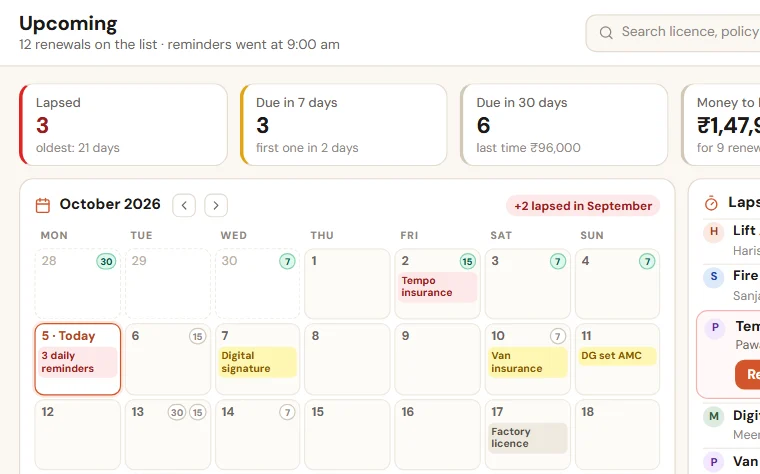
Renewal Reminders
Every renewal date in one list, with one person responsible. WhatsApp reminders go 30, 15 and 7 days before, and every day after, until it is renewed.
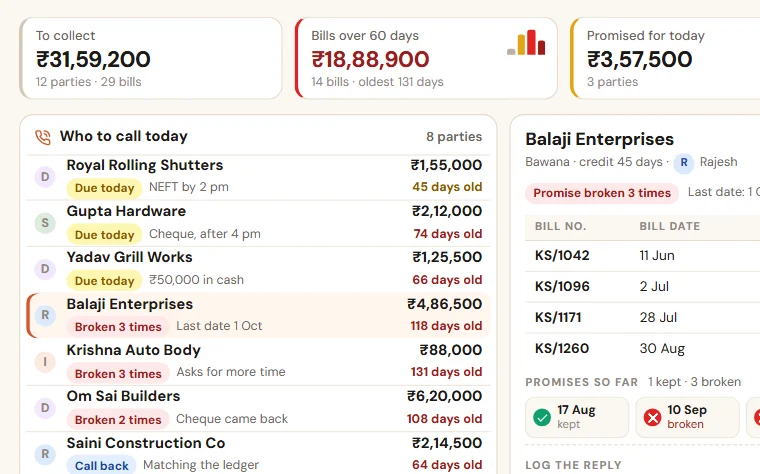
Payment Follow-up
See who to call today, which promise was broken and how old every bill is. Reminders go on WhatsApp, and you see collection salesman by salesman.
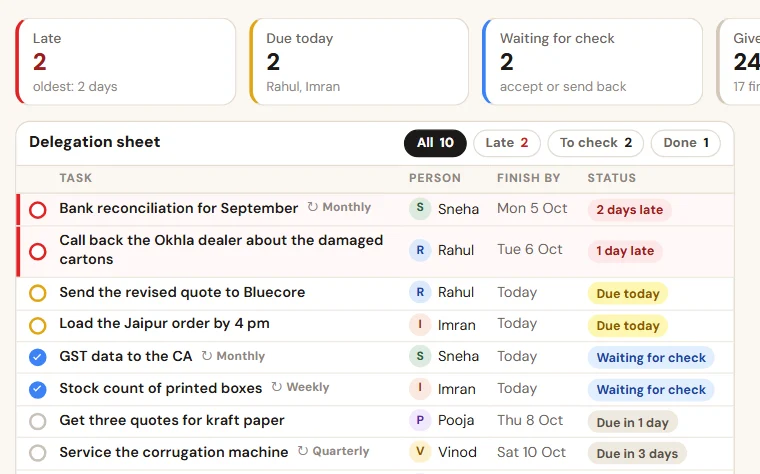
TaskEasy
Give work in ten seconds, see what is late without asking, and get one report of what got done. Checklists for the jobs that repeat.
See Compliance Task Tracker on your own data
Share last month of your data. We come back with a working demo, then a fixed price on one page.