Solar Project Tracker: Every project, step by step. See which file is stuck.
Every rooftop project from enquiry to subsidy on one screen, with the days it has waited at its step. Papers are ticked as they come, and the text for the customer is ready when a step is done.
- An app of the Shilp Labs Business Suite
- Free 14-day trial
- Setup from ₹25,000
- Works on any phone
Sample data: Sample data of an invented firm. No signup. Nothing is saved.
Press a number to see that part, or press the picture to open the working demo with sample data. Nothing is saved. Open it full screen · Set up for Solar installers
How it runs today
- Twenty projects are running, each at a different step, and only you remember which one is where.
- A file sits with the power company for weeks because nobody followed up. You find out when the customer shouts.
- On the day of filing, someone is searching WhatsApp for the customer's electricity bill and ID proof.
- Your last payment comes after the net meter and the subsidy, so every stuck file is your own money stuck.
- Customers call every week to ask when the meter will come, and each call needs three more calls to answer.
How work moves through it
- 1An enquiry is followed up in Leads, and a won customer gets a project file from the solar steps
- 2Each step has its days, its person, its checklist and its papers; it completes only when they are done
- 3The application number, the portal status and the net meter number are typed on the step that needs them
- 4A file over its days turns red, and a wait on the power company is marked with the date expected
- 5Each part of the payment falls due when its step is reached, and the customer can see the status on a link
Every part, spelled out
Projects by step
Every project at the step it is at. The days at that step are counted, and a file over its limit turns red and is told to the owner.
Papers and checklist
Electricity bill, ID and property papers, application copy, net meter papers: asked for on each step. A missing paper shows before the step is closed.
Power company waits
A wait on the power company or the portal is marked with the date you expect, so it is not counted against your team. The portal status sits on the file.
Money by step
Advance, on installation and after the net meter, each due when its step is reached. A part can be billed as a GST invoice and collected in Payments.
Customer status link
A link the customer opens to see the current step, the papers still to come and the money due. Never a staff name or an internal note.
Subsidy checked twice
The subsidy received is marked with the bank proof, and a second person checks it before the file moves on.
Made for businesses like yours
Rooftop solar installers
Who run many home projects at once under the subsidy scheme, each with the same steps and the same paperwork.
EPC firms
Who do housing societies, schools and factories, and need to see survey, material, installation and net metering for each site.
Owners who chase every file themselves
Who call the sales team, the site team and the power company office every day to learn what moved.
What you get, and when
- The solar steps, papers, fields and money parts set to how you work, starting from the Suite's solar template
- Running projects loaded from your Excel sheet or register, each at its present step
- Your customers, salespeople, office staff and installers set up with their roles
- The step and payment messages to customers in your wording
- Logins for your sales, office and site team, on their phones, with training for each role
- First month of care after go-live, as in the setup plan
Where solar projects get stuck today
Every rooftop project follows the same steps: survey, advance, name change, application, installation, net meter and subsidy. The work on the roof takes a day or two. The paperwork around it takes weeks, and it moves only when someone follows up.
With twenty or thirty projects running, each at a different step, the status lives in a sheet, in WhatsApp groups and in the owner's head. A file waits because a bank passbook copy is missing, or because nobody went back to the power company office. And because the last payment comes after the net meter and the subsidy, a stuck file is your own money waiting.
What changes
This is a set-up of the Projects app of the Shilp Labs Business Suite, on its solar template, with Leads and Follow-up for enquiries and Service and Complaints after installation.
- Every project sits at the step it is at, with the person who must do it.
- The days at each step are counted. A file over its limit turns red, and the owner is told.
- Papers and checklists are asked for on each step, so you know what is missing before the day of filing.
- A wait on the power company is marked with the date you expect, so the delay is shown where it really is.
- Each part of the payment falls due when its step is reached, with the message ready.
- The customer opens a status link instead of calling to ask.
What it does not do
It does not file applications or subsidy claims, and it is not linked to any government portal: the status is what your team enters. It is not a solar design tool. It sends no WhatsApp by itself.
What we need from you
- Your list of running projects, as an Excel sheet or a register photo
- The steps you follow and the papers you collect, if they differ from the template
- The names of your salespeople, office staff and installers
- Twenty minutes for the trial walk-through and an hour for training
One price to set up. A monthly fee to keep it running.
No charge per user. Try it free for 14 days before you pay anything.
Free trial
A company with sample data and the apps you pick.
- Set up for you the same working day
- A 20-minute walk-through
- Use it with your team for 14 days
- No card, no payment
Setup on your data
The apps you pick, set up on your own data.
- Customers, items and staff brought in from Excel
- Your steps, your words and your own fields
- Training for your team
- First month of care included
Running and care
Keeps it running and growing with you.
- Small changes as you work
- Help for your team
- Updates as the apps grow
- No charge per user
How the plans work
- The trial is free for 14 days. No card is asked for.
- Half the setup price to start, the rest at go-live.
- The monthly fee is paid at the start of the month.
- First term is three months, then 30 days notice either way.
- Extra work is quoted before it starts.
What is not included
- Daily follow-up with your staff. One person on your team does that, and we train them.
- New modules and new integrations. Each gets its own quote.
- Cleaning old data beyond the first import.
- WhatsApp provider charges, only if you choose the automatic WhatsApp add-on. You pay the provider directly.
Add-ons
Each has its own quote.
- Automatic WhatsApp messages through a WhatsApp provider you choose (its charges are paid to it directly)
- Old records cleaned and brought in, beyond the first lists
- A special report or a link to other software, quoted on its own
Before you ask
Does it file the application or the subsidy claim on the government portal?+−
No. Your team files on the national portal and with the power company, as it does today. The Suite keeps which project is at which step, the application number, the portal status as your team reads it, and what is missing. It is not connected to any government portal.
We also do solar for factories and housing societies. Will it work?+−
Yes. Projects can have more than one type, each with its own steps, papers and money parts, so a commercial project can run without the subsidy steps.
How long does it take to start?+−
The trial company, with sample data and the apps you pick, is ready the same working day. How long the setup on your own data takes depends on the apps and on how ready your lists are, and the date is written in your scope before you pay.
Who keeps the files moving?+−
Your own team. Each step has the role that does it: sales for the survey, the office for papers and the portal, the installer for the site. They tick the step from a phone. We train them.
Does it make solar proposals or system designs?+−
No. It is not a design or proposal tool. Keep the tool you use for layouts. The quotation can be made in the Suite's Quotations app, and the plant size and value sit on the file.
Does it send WhatsApp messages by itself?+−
No. The Suite prepares the message, with the name, number and amount filled in, and a person sends it from their own WhatsApp with one tap. That costs nothing extra. Where an app sends email by itself, it goes from your own mailbox once you have set the mailbox up.
Is it charged per user?+−
No. There is no charge per user. The setup on your own data is a one-time price, and running and care is a monthly fee, the same for as many staff as you have. The current prices are on the Pricing page in the menu, and your price is in writing before you pay anything. The 14-day trial is free.
Where is our data kept?+−
Your company runs on the Shilp Labs Business Suite, on our servers, at its own address such as yourfirm.shilplabs.in. The data is yours, and every list can be taken out as an Excel file whenever you want.
The practical bits
People also look for this as
solar project management softwaresolar installer CRMsolar EPC project trackingPM Surya Ghar vendor softwarerooftop solar project trackersolar subsidy tracking
Guides on this subject
Start on a sheet today
A register with example rows and colours that show what needs attention, to use before a system or beside it. Free, no form to fill.
Often set up next
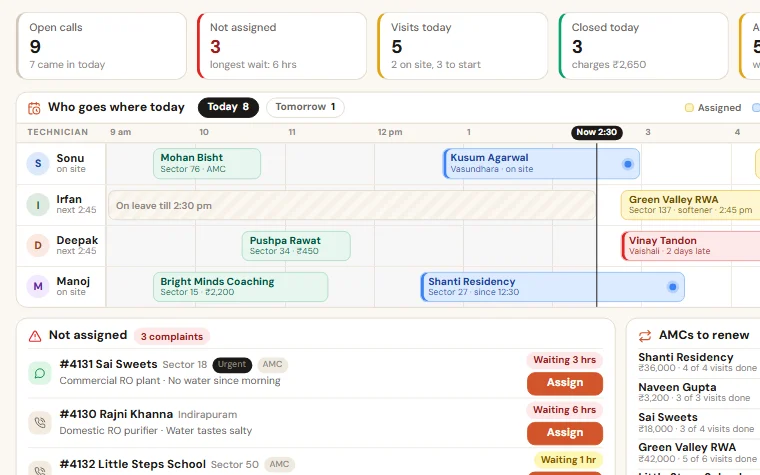
Service & AMC Manager
Note a complaint in a minute, give it to a technician, close it with the customer's code and a photo, and see every AMC that is about to end.
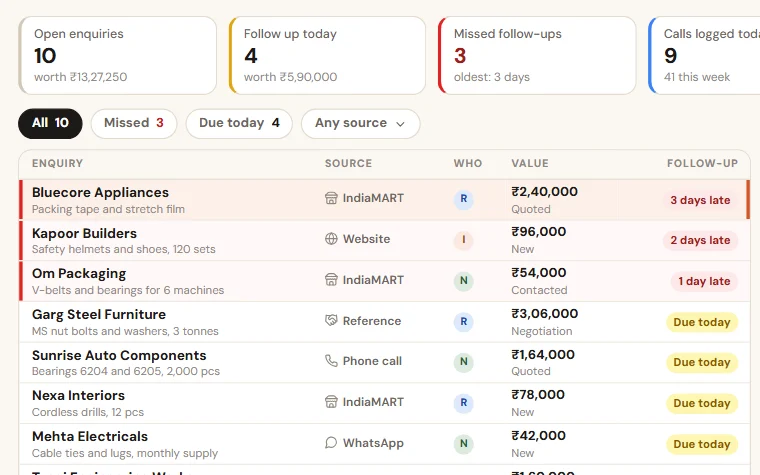
Enquiry Follow-up
Enquiries from your website form, IndiaMART, calls and walk-ins in one list. Each salesperson sees who to call today, and you see what was missed.

Quotation Tracker
All your quotations in one list: who made it, the discount given, when it lapses and why it was lost. The quote PDF and follow-up texts are ready for WhatsApp.
Try Solar Project Tracker free for 14 days
A trial company with sample data, set up the same working day. Then the scope and price on one page.