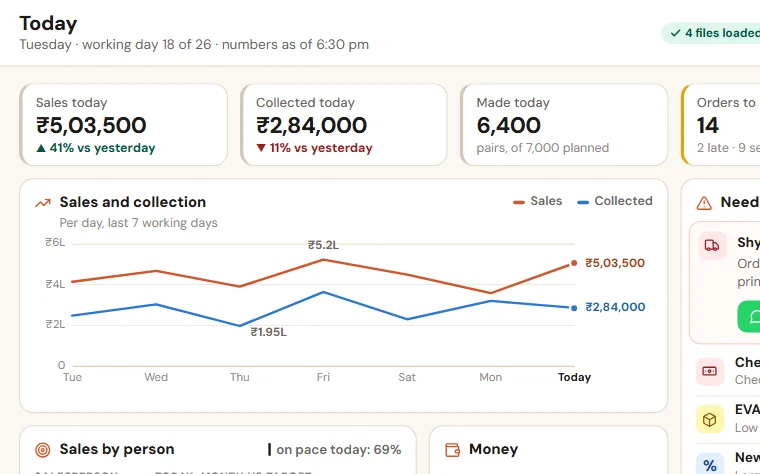
Daily MIS report format for the owner in Excel
One row per day: sales against the day target, money collected, orders dispatched, pending and late, cash and bank, and what needs the owner. A late order turns the day red.
What the file looks like
The heading row and the five example rows, as they open in Excel. Under them the file has empty rows that are ready: the lists, the formulas and the colours are already set.
| Date | Sales | Day target | Short of target | Collected | Orders dispatched | Orders pending | Orders late | Cash and bank | Payments due this week | Biggest due from a party | Needs you today | Filled by |
|---|---|---|---|---|---|---|---|---|---|---|---|---|
| 13 Oct 2026 | 4,12,000 | 4,50,000 | fills itself | 3,80,000 | 9 | 21 | 0 | 18,60,000 | 9,20,000 | Ravi Traders, 4.2 lakh, 72 days | Neha | |
| 14 Oct 2026 | 5,18,000 | 4,50,000 | fills itself | 2,65,000 | 12 | 18 | 1 | 17,20,000 | 9,20,000 | Ravi Traders, 4.2 lakh, 73 days | Order 1056 for Gupta Hardware is two days late: call them | Neha |
| 15 Oct 2026 | 4,76,000 | 4,50,000 | fills itself | 6,10,000 | 11 | 17 | 0 | 21,40,000 | 6,40,000 | Ravi Traders, 4.2 lakh, 74 days | Neha | |
| 16 Oct 2026 | 2,98,000 | 4,50,000 | fills itself | 1,50,000 | 6 | 19 | 2 | 19,80,000 | 6,40,000 | Balaji Enterprises, 3.1 lakh, 66 days | Two orders late for want of 2 mm sheet; returned cheque from Om Sai Builders | Neha |
| 17 Oct 2026 | 4,55,000 | 4,50,000 | fills itself | 4,20,000 | 10 | 16 | 0 | 22,10,000 | 4,10,000 | Balaji Enterprises, 3.1 lakh, 67 days | Neha |
- Red row: An order was late that day. Read "Needs you today".
- Amber row: Sales fell short of the day target.
- Green row: On target, and no order late.
The columns, and what to write in each
- Date
The working day.
- Sales
Invoice value of the day, before tax, from Tally or Busy.
- Day target
The monthly target divided by the working days of the month.
- Short of target
Fills itself: day target minus sales, on a day that fell short.
- Collected
Money received in the bank or in cash today.
- Orders dispatched
Orders that left today.
- Orders pending
Orders taken and not yet dispatched.
- Orders late
Pending orders past their promised date.
- Cash and bank
Closing balance of cash and all bank accounts.
- Payments due this week
What must be paid to suppliers and others in the next seven days.
- Biggest due from a party
The party, the amount and how many days old.
- Needs you today
Only what the owner must decide or call about. Three lines at most.
- Filled by
The person who filled the row.
How to keep it
- Agree the numbers once with the owner. Change the column headings to your own words, and delete a column nobody reads.
- Name one person who fills the row every day at a fixed time, from Tally or Busy and the team's own sheets.
- Write each number the same way every day: sales as invoice value before tax, collection as money received in the bank or cash, and so on.
- In "Needs you today", write only what the owner must decide or call about. Three lines at most.
- At the fixed time, copy the evening message from the second sheet into WhatsApp and send it to the owner.
Also in the file: evening message
Fill it from today's row and send it at the same time every day. Keep the order of the lines the same, so the owner reads it in a few seconds.
TODAY (date)
Sales: (sales) against a target of (day target)
Collected: (collected)
Orders: (dispatched) dispatched, (pending) pending, (late) late
Cash and bank: (cash and bank). Payments due this week: (payments due)
Biggest due: (party, amount, days)
Needs you: (one to three lines, or "nothing today")
This week: sales (total) against (target), collected (total), orders late on (number) days.
Free to use and to change. No macros, nothing to install.
What the owner should see every evening: a daily report
A daily report template for the owner: the ten numbers worth reading every evening, where each comes from, who fills it, and the WhatsApp message it becomes.
People also look for this as: daily report format for owner in Excel · daily MIS report format · evening report for a business owner · daily business report template