Team task list format in Excel
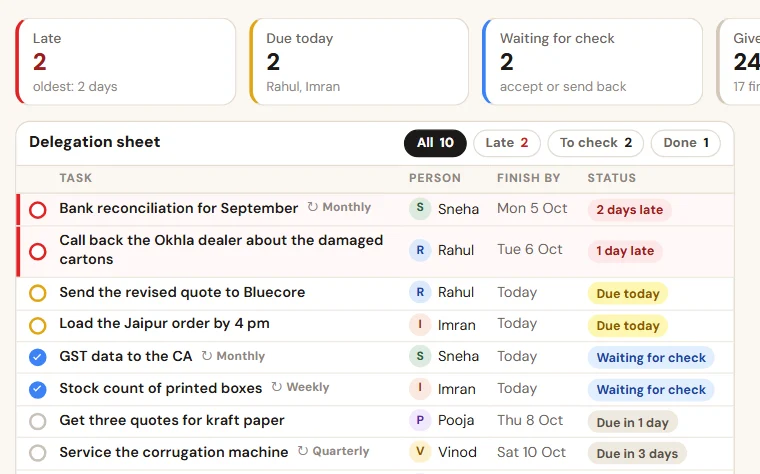
Eight columns for the work you give, and a second sheet for the jobs that repeat. A late task turns red, and nobody has to be asked.
What the file looks like
The heading row and the five example rows, as they open in Excel. Under them the file has empty rows that are ready: the lists, the formulas and the colours are already set.
| Task | Given by | Given to | Given on | Due date | Status | Done on | Remark | Days late |
|---|---|---|---|---|---|---|---|---|
| Call back the Okhla dealer about the damaged cartons | Mr Mehra | Rahul | 7 Oct 2026 | 9 Oct 2026 | Pending | Dealer did not pick up twice. | fills itself | |
| Send the revised quote to Bluecore | Mr Mehra | Rahul | 9 Oct 2026 | 10 Oct 2026 | Pending | fills itself | ||
| Get three quotes for kraft paper | Mr Mehra | Pooja | 8 Oct 2026 | 12 Oct 2026 | Pending | Two received. | fills itself | |
| Load the Jaipur order by 4 pm | Sneha | Imran | 9 Oct 2026 | 9 Oct 2026 | Done | 9 Oct 2026 | Went by the 5 pm vehicle. | fills itself |
| Send GST data to the CA | Mr Mehra | Sneha | 4 Oct 2026 | 6 Oct 2026 | Checked | 6 Oct 2026 | fills itself |
- Red row: Past the due date and still pending.
- Amber row: Due today.
- Green row: Done, or done and checked.
| Job | Person | How often | Day or date | Last done | Next due | Remark |
|---|---|---|---|---|---|---|
| Enter the bank entries of the day | Sneha | Daily | Every day by 6 pm | 9 Oct 2026 | 10 Oct 2026 | |
| Send the payment follow-up report to the owner | Sneha | Weekly | Every Monday | 4 Oct 2026 | 11 Oct 2026 | |
| Send GST data to the CA | Sneha | Monthly | The 5th | 7 Sept 2026 | 7 Oct 2026 | Purchase bills of two suppliers awaited. |
| Service the corrugation machine | Vinod | Quarterly | First Saturday | 22 Jul 2026 | 20 Oct 2026 | |
| Renew the fire safety certificate | Pooja | Yearly | As on the certificate | 4 Nov 2025 | 4 Nov 2026 |
- Red row: The job was due and has not been ticked.
- Amber row: Due today.
The columns, and what to write in each
- Task
One line that starts with a verb.
- Given by
Name.
- Given to
One name.
- Given on
Date.
- Due date
Date.
- Status
Pending, done, checked or cancelled.
PendingDoneCheckedCancelled - Done on
Date.
- Remark
Why it is late, or what is stuck.
- Days late
Fills itself for a pending task past its due date.
Second sheet, "Checklist": Job, Person, How often, Day or date, Last done, Next due, Remark.
How to keep it
- Enter first, message second. The task goes into the sheet, then send the WhatsApp message if you like.
- One task has one person in "Given to" and one date in "Due date".
- Morning: each person filters their own name and reads what is due today and what is late.
- Finished work is marked "Done" the same day, with a one-line remark. The person who gave it marks "Checked".
- Jobs that repeat go into the sheet "Checklist" once, each with a person and a day, and are ticked off there.
Free to use and to change. No macros, nothing to install.
Why your team forgets tasks on WhatsApp, and what to do instead
A task given in a chat has no name on it, no date, no status and no list. A delegation sheet, a daily routine and a checklist for repeating jobs put them back.
People also look for this as: task list format in Excel · staff task tracker · daily task sheet for staff · team to-do list