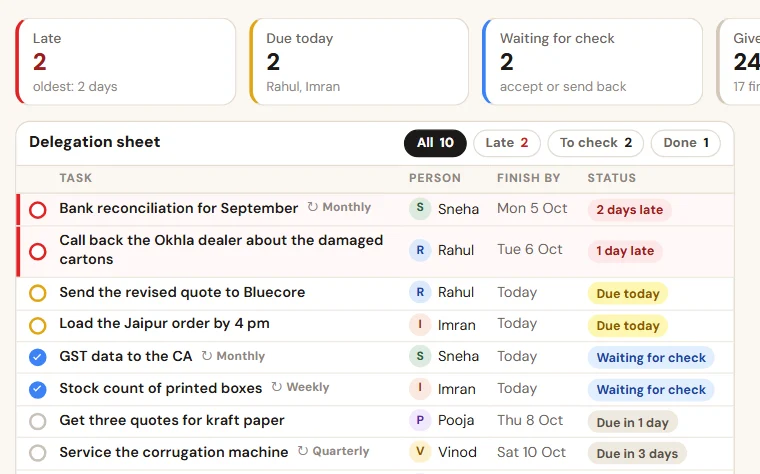
Delegation sheet format in Excel, with a weekly score
A delegation sheet format in Excel for the tasks you give your staff: twelve columns, a days-late formula, three rules and a weekly score for each person.
You gave Deepak the weighbridge job on the 3rd. Deepak asked for two more days, then two more. Today the job is still open, and nobody remembers what the first date was. A task list shows what is pending. A delegation sheet shows something more: how the work you gave has actually gone.
Task delegation sheet or task list?
A task list is for the person who does the work: what is due today. Our guide on why your team forgets tasks on WhatsApp has that list. If you keep no list at all, start there.
A task delegation sheet is the record of the person who gives the work. It adds three things: a planned date that never changes, one revised date, and the name of the person who checked the work. From these the sheet works out the days late and a weekly score for each person.
Delegation sheet format in Excel: twelve columns
| Column | What to write | Why it matters |
|---|---|---|
| Task no. | Your own running number: T-101, T-102 | One name for the task in every call and chat |
| Task | One line that starts with a verb and has a clear finish | "Look into it" cannot be checked |
| Given by | The person who gave the task | That person checks it later |
| Given to | One name, never two | Two names means nobody |
| Given on | The date the task was given | Shows how long it has been open |
| Planned date | The date agreed when the task was given | Every delay is measured from this |
| First revised date | A new date, written once, if more time was asked for | The first date stays on record |
| Actual date done | The date the work was finished | Compared with the planned date |
| Days late | Fills itself | Counted from the planned date, not the revised one |
| Checked by | The person who saw the finished work | Done means checked |
| Result | Fills itself: on time, late, open or overdue | The weekly score is counted from this |
| Remark | Why the date moved, or what is stuck | The history in one line |
The formula for "Days late", with the planned date in column F and the actual date done in column H:
=IF(H2<>"",MAX(0,H2-F2),IF(F2<TODAY(),TODAY()-F2,""))
The file has it ready, with the colours: red for a task past its planned date, amber for work waiting for a check, green for done and checked.
Three rules that keep the delegation sheet honest
- The planned date is never typed over. A new date goes in "First revised date". The task still counts as late from the planned date.
- One revision, asked for before the planned date. A request after the date has passed is an explanation, and goes in the remark. A second request is a talk with you, not another date.
- Done means checked. The person who did the work writes the date. The person who gave it looks at the work and writes a name in "Checked by". If the work is not right, clear the date and the task is open again.
Delegation sheet for staff: the weekly score
The second sheet of the file, "Weekly score", has one row per person per week.
| Column | What to write |
|---|---|
| Person | The name, spelt as in "Given to" |
| Week from | Monday's date |
| Week to | Saturday's date |
| Tasks due | Fills itself: tasks planned for that week |
| Done on time | Fills itself |
| Done late | Fills itself |
| Not done | Fills itself |
| Score out of 100 | Fills itself: tasks done on time, out of tasks due |
| Remark | What the two of you agreed for next week |
Read it on Saturday, with the person. Start with the tasks behind the number: what was in the way, and what changes next week. A score read without the tasks turns into blame.
Two cautions. Two tasks and twenty tasks cannot be compared by score alone, so read "Tasks due" first. And a low score for the whole team often means the dates were given, not agreed.
How to read the delegation sheet
- Morning: filter "Result" for overdue. Ask about those tasks first.
- Evening: look at the amber rows. They are waiting for your check, not for your staff.
- Saturday: add the week's rows to "Weekly score" and sit with each person.
Sheet or system?
The sheet is enough while one person enters every task and you check your own amber rows each evening. It strains when several managers give work, when staff must update from the phone, and when the Saturday rows have to be typed for many people. That is the stage at which we set up TaskEasy, where done work comes back for a check and the scorecard by person makes itself. You can try its live demo without a signup.
Take the format with you:Delegation sheet with weekly score (Excel, 114 KB)
Want to see this on your own data?
Share last month of your data. We come back with a working demo. No payment for the demo.