Customer complaint register format in Excel: service calls
A customer complaint register format in Excel for a service business: fourteen columns, three rules, and how to read your service calls daily and weekly.
The complaint came on a call at eleven. Someone wrote it on a slip, a technician was told on the phone, and that was the last the office heard of it. Two days later the customer calls again, angry, and everyone asks who took the first call. A complaint register ends this. Every complaint gets a number, a name and a date, in one place.
Complaint register or service call register?
They are the same sheet. Some firms call it the complaint register, others the service call register or the breakdown call register. It holds one row per complaint, from the first call to the closed job, so that no complaint lives only on a slip or in a WhatsApp group.
Customer complaint register format: one row per complaint
| Column | What to write | Why it matters |
|---|---|---|
| Complaint no. | Your own running number: C-318, C-319 | One name for the complaint on every call |
| Received on | The day the complaint came | Shows how long the customer has waited |
| Customer and site | Name, address, contact person and phone | Where to go and whom to call |
| Product and serial no. | Product, model and serial number | The cover belongs to a machine, not to a customer |
| Problem | The fault in the customer's own words | The technician carries the right part |
| Cover | Warranty, AMC or chargeable | Decides whether the visit is billed, before anyone goes |
| Technician | One name | A complaint without a name belongs to nobody |
| Visit date | The day told to the customer | Every delay is measured from this |
| Status | Open, assigned, waiting for part, closed or cancelled | Shows where the complaint is stuck |
| Closed on | The day the work was finished | Tells you how long the job took |
| Work done and parts used | What was repaired, which parts, the job report number | Your record when the same fault comes back |
| Charge and payment | The amount charged, and paid or pending | A visit that is not billed is a visit given free |
| Remarks | Part awaited, customer not at home, second call | The history in one line |
| Days open | Days since the complaint came, while it is not closed. Fills itself in the Excel file | The oldest complaint is easy to find |
If breakdowns must jump the queue, add a column "Priority" with two words, urgent and normal.
The column "Cover" needs your contract list. Before promising a free visit, the desk looks up the customer in the AMC register. If the cover has ended, the customer hears the visit charge on the same call.
Three rules that keep the register alive
- The number first, then the technician. Write the complaint while the customer is still on the call, and send the number: "Complaint C-320 noted. Our technician will visit on Thursday."
- No row without a name and a visit date by evening. In the Excel file, a complaint that has no visit date the next morning turns red.
- A row is closed only with the job report. The technician sends the work done, the parts used and the charge the same day, as a photo of the signed job report or as a message. "Done" on a phone call does not close a row.
How to read it every day
- Morning: filter "Visit date" for today. That is the visit plan.
- Evening: read every red row: the visit date has passed, or nobody has picked the complaint up. Call those customers before they call you.
- Before closing the day: every row closed today has a charge, or a cover that explains why there is none.
What to look at every week
- Sort by "Days open". A complaint that has waited a week for a part needs two calls: one to the supplier and one to the customer.
- Count the problems for each product. The same fault on the same model is a part to keep in the technician's bag.
- Look for the same serial number twice. A complaint that comes back within the month means the first repair did not hold.
- Filter "Charge and payment" for pending. Send that list to accounts.
Sheet or system?
A shared sheet is enough when one person at the desk notes every complaint and two or three technicians report back the same day.
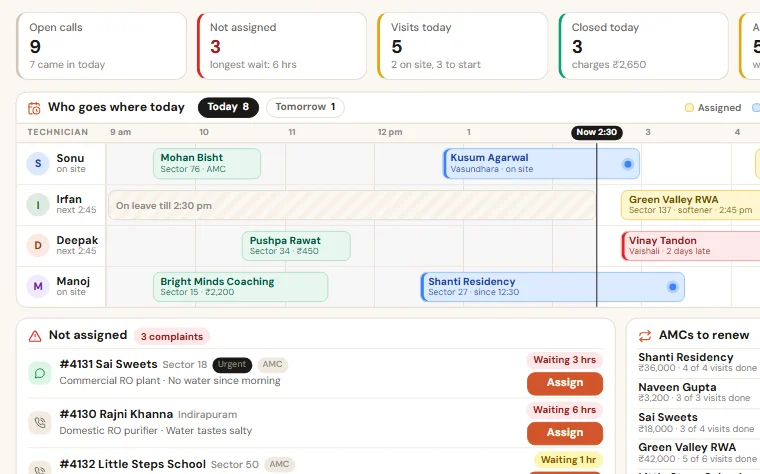
The sheet starts to fail when technicians have to update from the site, when job reports live as photos in a chat, and when the owner phones each technician in the evening to learn what was closed. That is when we set up a Service & AMC Manager, where the technician closes the call from the phone with the work done, the parts used and the charge, and the customer gets the job report on WhatsApp. It has no live GPS tracking and makes no GST invoices: Tally stays for billing. You can try the live demo without signing up.
Take the format with you:Complaint register (service call register) (Excel, 47 KB)
Want to see this on your own data?
Share last month of your data. We come back with a working demo. No payment for the demo.