Dealer orders on WhatsApp: how to stop missing them
Five habits that stop dealer orders getting lost on WhatsApp: one number for orders, a fixed format, the order register, a confirmation and an evening check.
Your dealers order the way they talk: a voice note at 9 pm, a photo of a handwritten list, "same as last time" in the group, a call to the salesperson. Each one is a real order. By the time they reach the dispatch desk, one has been missed and one has gone in the wrong size.
Why WhatsApp loses orders
- Orders arrive on many numbers: the owner's, the salesperson's, the office phone and the dealer group.
- An order is one message among greetings, forwards and rate queries. By evening it has scrolled away.
- A voice note or a photo cannot be searched.
- "Same as last time" depends on someone remembering last time.
- Nothing tells the dealer that the order was booked, so the dealer assumes it was.
You do not need to move dealers off WhatsApp. You need five habits around it.
1. One number for orders
Keep one WhatsApp Business number only for orders, on the office phone and on WhatsApp Web at the order desk. Tell every dealer once, in writing, that orders are taken only on this number. A salesperson who receives an order forwards it there at once. Labels in the WhatsApp Business app, for example new order and confirmed, show what is still open. Remove the label once the order has gone.
2. A fixed WhatsApp order format
Send dealers a format they can copy and fill:
ORDER
- Dealer: Gupta Hardware, Rohtak
- Item 1: CPVC elbow, 1 inch, 200 pcs
- Item 2: PVC pipe, 1 inch, 100 lengths
- Needed by: 14 October
- Transport: usual
Not every dealer will use it. That is fine. The order desk rewrites every voice note, photo and "same as last time" into this format.
3. Enter it in the order register
The order goes into one register before anything else is done, and gets its number, promised date and stage there. The columns are in the order register format. The chat is how the order arrived. The register is where it lives.
4. Confirm every order back
Order no. 2318 noted for Gupta Hardware: CPVC elbow 1 inch 200 pcs, PVC pipe 1 inch 100 lengths. Dispatch on 12 October through Shree Transport. Please reply OK.
The dealer's "OK" is the booking. If no reply comes within two hours, the desk calls once. A wrong size or quantity is caught now, not when the goods reach Rohtak. For "same as last time", send the last order back in this form and let the dealer confirm the quantities.
5. A cut-off time and an evening check
| Time | Who | What |
|---|---|---|
| Up to 4 pm | Order desk | Orders confirmed by now go into today's dispatch plan. Later ones go tomorrow. Dealers know the cut-off. |
| 6 pm | Order desk | Scroll through the day's order chats. Tick each order against the register. A chat with a new message and no label may be a missed order. |
| On dispatch | Dispatch | Send the dealer the LR number, the transporter and the number of boxes. |
| Next morning | Owner | Read the list of orders past their promised date. |
Count it for one week
Before you change anything, keep a tally for one week. Count four things: orders received, orders that reached the dispatch desk late or not at all, orders that needed a second call to clarify, and orders the dealer had to remind you about. Count again after a month of the five habits.
Sheet or system?
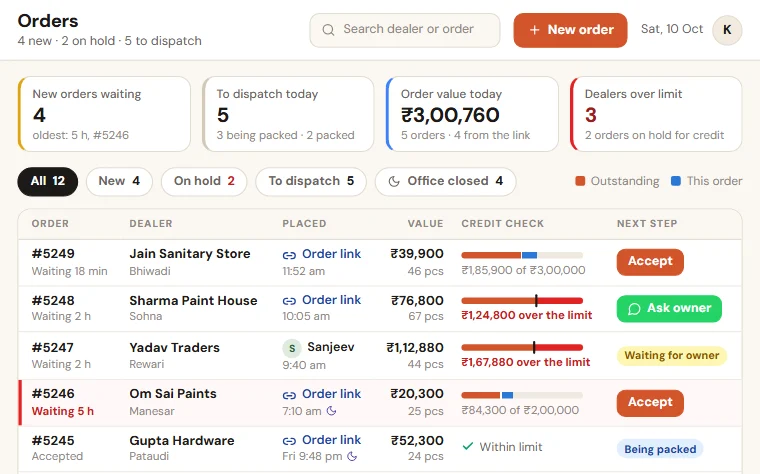
One WhatsApp number for orders and a shared register are enough while one person can read every order chat in a day. It strains when dealers are many, when rates differ from dealer to dealer, and when the desk spends the whole day typing chats into the register. At that stage it helps to let dealers pick items from your own list, and we set up a Dealer Order App for that.
See also the page for wholesalers and distributors.
Want to see this on your own data?
Share last month of your data. We come back with a working demo. No payment for the demo.